Guide · General
Best Laptops for Engineering Students: Specs That Matter
Find the best laptops for engineering students by major and workload, with RAM, GPU, CPU and storage specs from university and vendor requirements for 2026.
By the HearSmart research desk · Updated November 9, 2026 · 11 min read

The question behind the best laptops for engineering students is which workload the machine has to finish, not which brand sits on the lid. The HearSmart research desk reads university baselines and vendor requirements the same way: name the software, then set memory, storage, graphics, and the processor to that job. Ordinary coursework and programming sit on a lower baseline than 3D assemblies, finite-element analysis, or several virtual machines. A lighter integrated-graphics laptop can be the right buy for a programming-heavy start. It becomes the wrong buy when a later studio course expects local CAD or simulation. Department lists, not product prestige, decide which compromise is still safe.
Table of Contents
- Minimum Specs for Each Engineering Workload
- Processor Choices for CAD and Simulation
- When a Dedicated Graphics Card Matters
- Matching Specs to Your Engineering Major
- Portability, Battery Life and Cost Trade-offs
- Choosing Your Laptop and Confirming Requirements
Minimum Specs for Each Engineering Workload
A laptop with 16 GB of RAM and a 512 GB SSD covers most undergraduate coursework. CAD and simulation push the buying baseline to 32 GB of RAM and a dedicated GPU. That split comes from published guidance, not from a generic claim about speed. The University of Rhode Island lists 16 GB as the minimum and 32 GB as recommended, and the University of Cincinnati specifies 16 GB with 32 GB recommended, plus dedicated graphics for some engineering programs. Autodesk's AutoCAD 2026 requirements list 8 GB of memory as a basic requirement and 32 GB as recommended, alongside a recommended GPU with 8 GB of graphics memory and DirectX 12 support. SOLIDWORKS lists 16 GB, recommends 32 GB, and requires certified graphics cards and drivers for supported professional use.
The University of Texas at Austin published a matching pair of tiers for undergraduate engineering students in 2026. The minimum is 16 GB of memory and a 500 GB SSD, with integrated graphics. The recommended tier rises to 32 GB and 1 TB, with a dedicated NVIDIA or AMD GPU.
Minimum specs by engineering workload
| Workload | RAM | Storage | Graphics |
|---|---|---|---|
| General coursework and programming | 16 GB minimum | 500 to 512 GB SSD | Integrated graphics acceptable |
| Lighter 2D drafting and CAD | 16 GB minimum | 512 GB SSD | Dedicated GPU advised |
| 3D CAD assemblies such as SolidWorks | 32 GB recommended | 1 TB SSD recommended | Dedicated RTX 4050 or higher |
| Finite-element simulation or several virtual machines | 32 GB recommended | 1 TB SSD recommended | Dedicated GPU with certified drivers |
General coursework and programming. Compilers, a browser, documents, and one IDE fit the minimum tier. Integrated graphics are acceptable because the job isn't a shaded model.
Lighter 2D drafting. Line drawings can stay at 16 GB, but a dedicated GPU is the safer side of the line once the file leaves simple drafting. AutoCAD's jump from a basic memory figure to a recommended one is a model-complexity problem, not a branding problem.
3D assemblies. Large SolidWorks assemblies, several applications open at once, and the next software version are why 32 GB is the planning number, with a 1 TB SSD and an RTX 4050-class card or higher.
Simulation and virtual machines. Finite-element runs and several VMs want that same memory and storage headroom, plus a dedicated GPU whose drivers sit on the vendor's certified list.
Planning rule: Buy for the most demanding workload expected in the third year of the degree, not only the first semester.
A configuration that feels ample in an introductory programming course can stall a junior-year assembly. The same evidence-first habit applies when comparing other devices in tech and gadget guides.
Processor Choices for CAD and Simulation
Processor choice follows the software, not a generic core-count target. A six-core chip that feels quick in 2D drafting can be the wrong class once a solver spreads work across many cores. The reverse is also true. A huge core count with a low clock can feel sluggish when the student is rotating a model, not waiting on a batch solve.
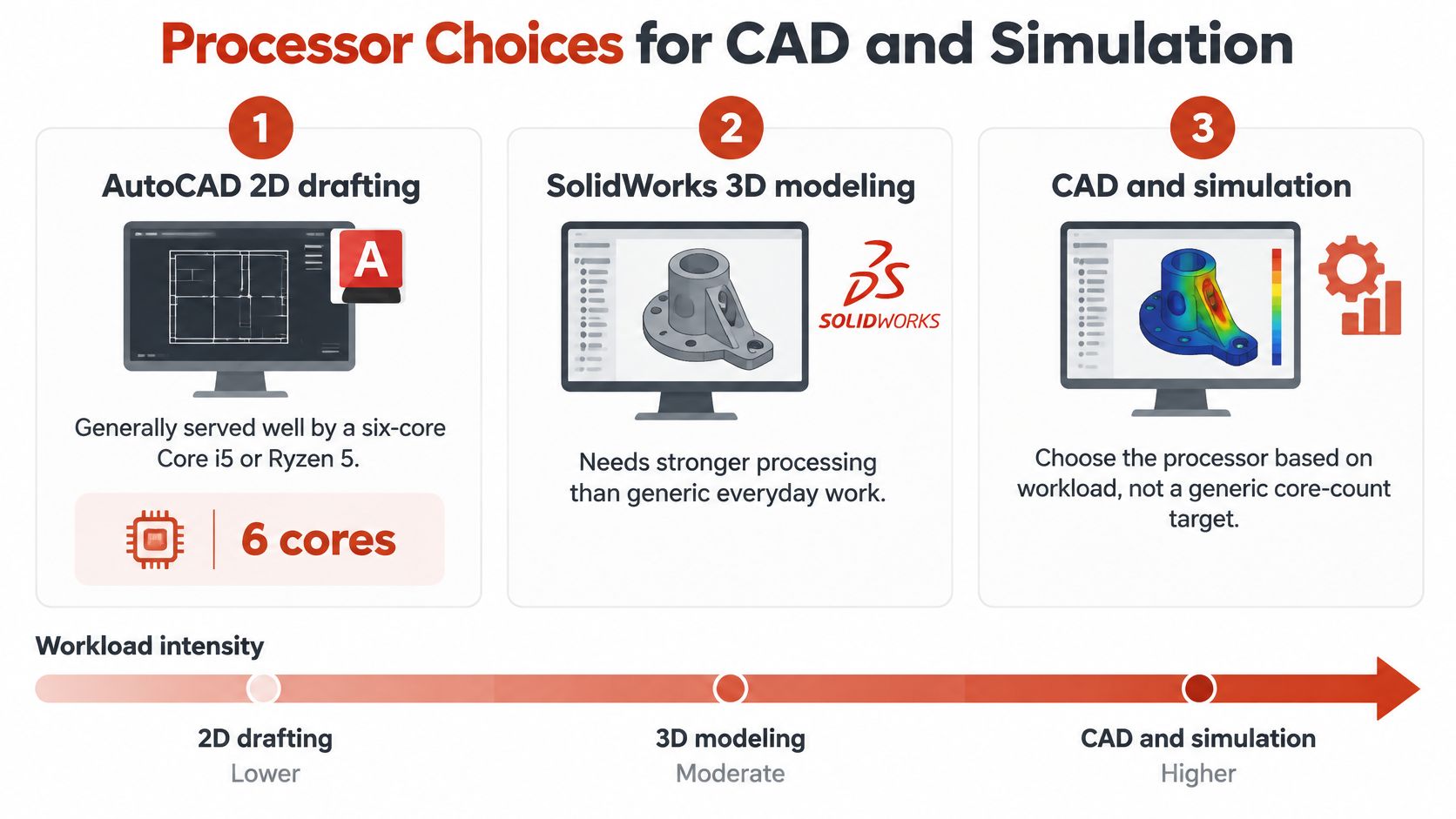
TechRadar's engineering-laptop guidance pairs the workloads this way. AutoCAD 2D drafting is generally served by a six-core Core i5 or Ryzen 5. SolidWorks 3D modeling benefits from a Core i7 or Ryzen 7 with at least eight cores. ANSYS or Abaqus finite-element work can justify processors with 12 or more cores.
Processor tier by engineering software
| Software or workload | Processor class | Cores | Series to prefer |
|---|---|---|---|
| AutoCAD 2D drafting | Core i5 or Ryzen 5 | 6 | H or HX preferred over U |
| SolidWorks 3D modeling | Core i7 or Ryzen 7 | 8 or more | H or HX series |
| ANSYS or Abaqus finite-element analysis | High core count processor | 12 or more | H or HX series |
| Undecided major, mixed use | Core Ultra 7 or 9, or Ryzen 7 or 9 | 8 or more | H series baseline |
Why the series letter matters
An H or HX series chip is the better pick when the laptop has to handle CAD rebuilds, simulation, compiling, and rendering. A low-power U series chip saves heat and battery, and it gives that saving back as slower sustained work. Interactive CAD is the counterweight. Many of those operations still depend on single-core speed, so fewer faster performance cores can feel more responsive than a lower-clocked chip with a larger total core count.
A student who hasn't settled on a major is better served by a modern Core Ultra 7 or 9, or a Ryzen 7 or 9 H-series configuration, than by an entry-level chip. That baseline still has to share the machine with browsers, virtual machines, or analysis tools. Before purchase, read the single-core and multi-core figures in the vendor documentation for the exact processor, not the family name on the shelf card.
When a Dedicated Graphics Card Matters
Integrated graphics handle general use, programming, and document work. CAD, simulation, and 3D modeling call for a dedicated card. The University of South Florida drew that line for undergraduate engineering students in 2026. Integrated graphics are permitted for general use. A dedicated card, such as an NVIDIA RTX-class GPU or equivalent, is the recommendation for CAD, simulation, and 3D modeling. The same baseline asks for at least 16 GB of RAM, a 512 GB SSD, and a 1,920 by 1,080 display.

Software on the syllabus, not the badge
USF names MATLAB, COMSOL, SolidWorks, AutoCAD, Mathematica, Python, and C/C++ among the tools students may need. That list is a buying test. Python and C/C++ don't justify a discrete GPU by themselves. SolidWorks, AutoCAD, and COMSOL can. A card that looks fast on a games chart can still be the wrong card if its driver isn't certified for the modeling package the studio requires.
Certified drivers matter as much as the card itself. Check the vendor's certified hardware list before treating a fast consumer GPU as supported for professional use.
A student whose coursework is mostly programming may never need a discrete GPU, and skipping it saves weight and battery. The check is short. List the three heaviest graphics programs in the first-year and second-year syllabus, then confirm each one on the vendor page. If none of them render or simulate locally, integrated graphics remain a defensible choice. If one of them does, the dedicated card belongs in the budget before a thinner chassis does.
Matching Specs to Your Engineering Major
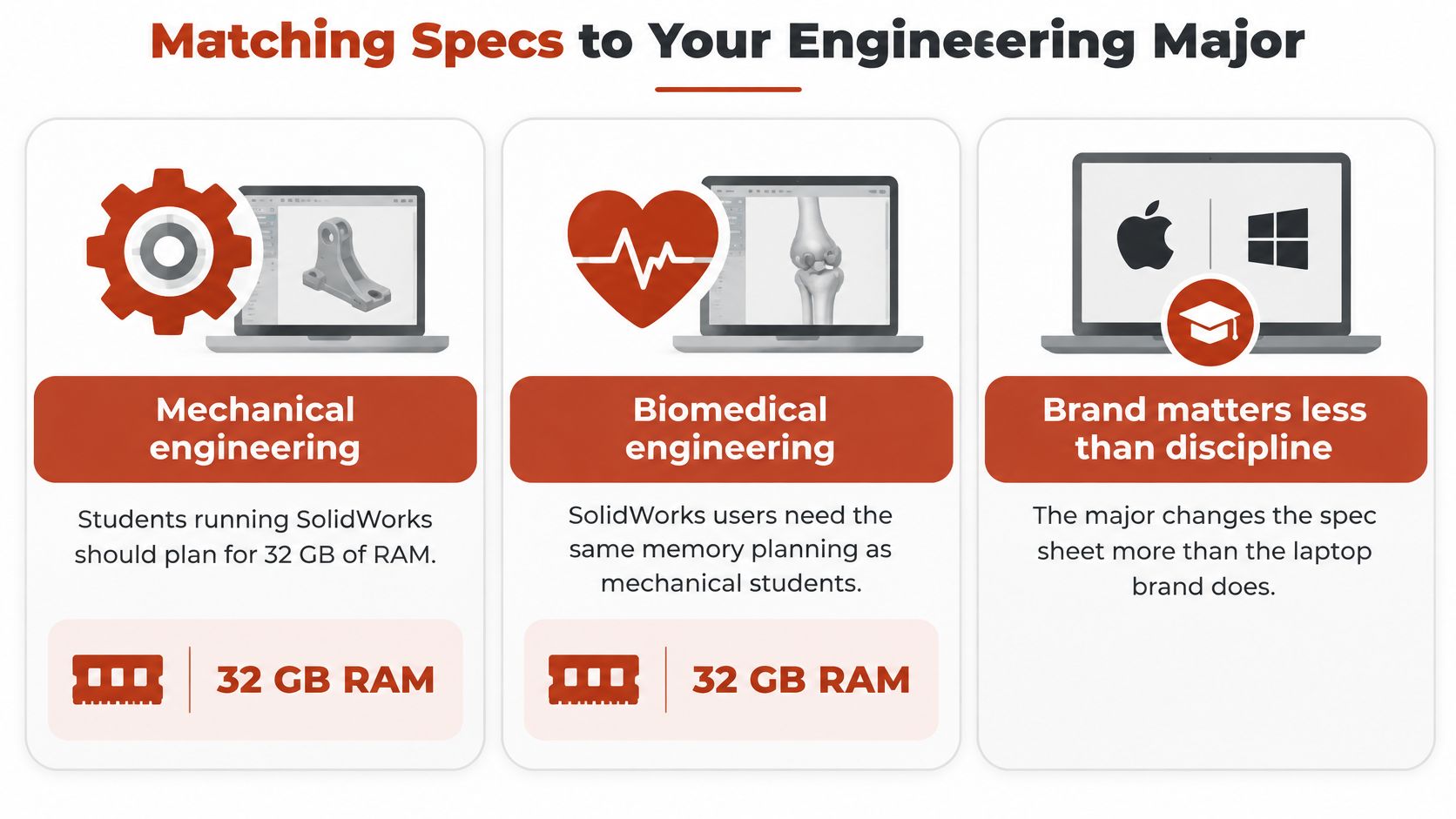
Discipline changes the spec sheet more than brand does. The University of California, Irvine says 16 GB is sufficient for many undergraduates, and it recommends 32 GB for biomedical and mechanical engineering, where SolidWorks performance is more demanding. Mechanical, biomedical, and civil engineering students should consider discrete graphics. A lightweight integrated-graphics system can still suit introductory programming. Mechanical, civil, architectural, and simulation-heavy pathways increasingly justify Windows compatibility, a discrete GPU, 32 GB of RAM, and at least a 512 GB SSD.
Specs to prioritise by engineering major
| Major | Typical software | Specs to prioritise |
|---|---|---|
| Mechanical engineering | SolidWorks, AutoCAD, simulation tools | 32 GB RAM, dedicated GPU, Windows |
| Civil engineering | AutoCAD, BIM and simulation tools | 32 GB RAM, discrete graphics considered |
| Biomedical engineering | SolidWorks and analysis tools | 32 GB RAM, discrete graphics considered |
| Electrical engineering | MATLAB, circuit design tools | 16 GB RAM, integrated graphics may suffice |
| Software engineering | IDEs, containers, virtual machines | 16 GB RAM minimum, 32 GB for several VMs |
Electrical and software students often live in MATLAB, circuit tools, IDEs, containers, and virtual machines. Memory and operating-system compatibility matter more there than a high-end GPU. Windows remains the practical baseline where the department's CAD and industrial tools don't have a native alternative. A Mac can be a strong coding machine only after each required application is confirmed to run on it.
The department audit
Run the audit before comparing chassis.
- Ask for the software list for each course year, including senior design, not only the first-term handout.
- Check operating-system support for every named application, including plugins and network licenses.
- Ask whether upper-level courses run on remote lab machines or must run on the student's laptop.
A laptop that is sufficient for first-year coursework may not be sufficient for a senior design project. If the heavy solver only exists on a lab workstation, a lighter laptop stays usable and the student plans around lab hours. If the solver must run locally, the cheaper machine forces remote access or a second purchase. Course-load patterns in online learning statistics are a reminder that later terms stack tools, they don't replace the early ones.
Portability, Battery Life and Cost Trade-offs
Headline battery numbers don't describe an engineering day. The mixed-use figures in vendor marketing are measured on light workloads, and a CAD session or solver run drains the battery far faster than that baseline. Treat any headline runtime as a ceiling for lectures, never as a promise for lab work. IDC-cited estimates reported by Dataintelo project AI PCs above 60% of laptop shipments by 2027, compared with about 35% in 2025. That is a shipment forecast, not evidence that an NPU replaces the graphics stack a solver needs.
An NPU can speed up local AI features or improve efficiency. It does not automatically replace the CUDA-capable or professional graphics performance that demanding CAD, rendering, and simulation need. Expect battery life to fall sharply under sustained load, and plan around outlet access in labs and studios rather than around the sticker number. A thin, efficient laptop and a heavier model with cooling and a dedicated GPU are not substitutes. They fail in different classes.
Portability, battery and cost trade-offs
| Trade-off | Thin efficient model | Heavier model with dedicated GPU | Check before buying |
|---|---|---|---|
| Weight and battery | Lower weight and headline mixed-use battery claims | Heavier, with shorter runtime under CAD or simulation load | Test battery separately for lectures, coding, video calls, CAD and simulation |
| Graphics | Integrated graphics or NPU-focused design | Dedicated RTX-class GPU with certified drivers | Confirm the department software list and vendor certified hardware list |
| Memory and cost | Often 16 GB at a lower price | Often 32 GB with a dedicated GPU at a higher price | Use the seller price and note the date checked, because prices can change |
| Software support | May not run applications that lack ARM or AI-PC support | Usually an x86 Windows build with discrete GPU drivers | Verify each required application on the target architecture |
A lighter machine saves weight only if its GPU and memory still meet the course list.
A 32 GB configuration with a dedicated GPU costs more than a 16 GB integrated-graphics model. Prices in a HearSmart ranking are the US prices shown on each maker's own store at the time they were checked, and those prices can change. Charger weight and repairability belong in the same comparison. A two-pound saving disappears if the power brick is heavy and the battery collapses once SolidWorks or a solver is open. Confirm that every required application runs on the target architecture before treating an ARM or AI-PC design as compatible.
Choosing Your Laptop and Confirming Requirements
Run this sequence before any purchase. It uses the course list as the spec sheet.
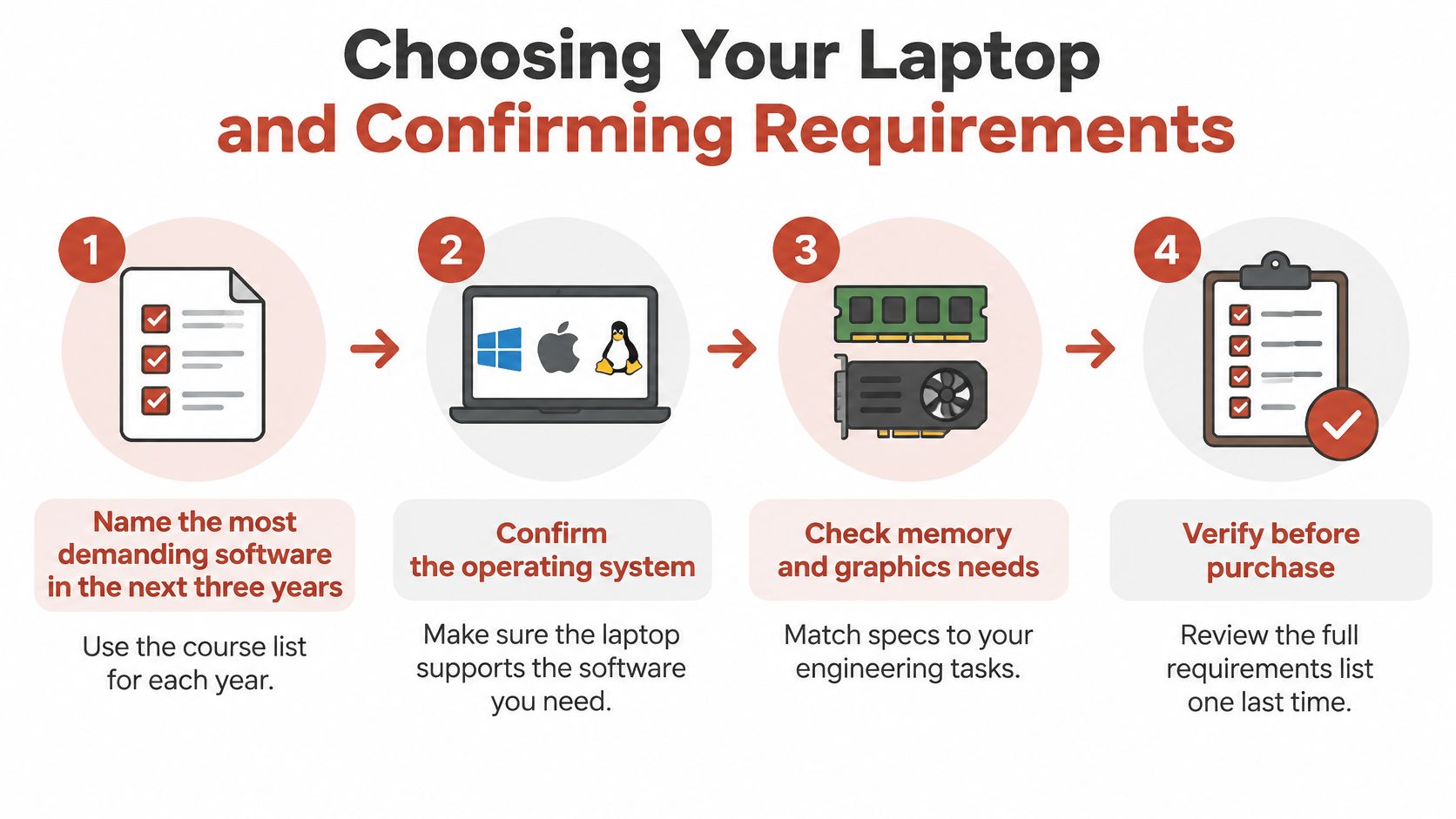
- Name the most demanding software in the next three years, using the course list for each year, including senior design.
- Confirm the operating system the department requires. Treat Windows as the baseline wherever the CAD tools are Windows-first.
- Set RAM at 16 GB for coursework and 32 GB for CAD or simulation.
- Decide graphics. Integrated graphics for coursework. A dedicated RTX-class GPU with certified drivers for CAD, simulation, and 3D modeling.
- Choose the processor tier from the software list. Six cores for 2D drafting, eight or more for 3D modeling, 12 or more for finite-element work, and an H or HX series rather than a U series.
- Weigh weight and battery against that workload, with separate expectations for lectures and for solves.
Three verdicts
A coursework-first buyer on a tight budget can meet the baseline with 16 GB and integrated graphics, provided the syllabus stays in programming, documents, and light analysis.
A mechanical or civil student should budget for 32 GB and a dedicated GPU. Biomedical students running SolidWorks fall in the same memory plan, with discrete graphics considered.
A student running finite-element analysis, or several virtual machines, needs 32 GB, an H or HX series processor, and 12 or more cores.
The purchase check
Request the required software list for each course year. Confirm each item on the vendor's certified hardware list. Compare the chosen configuration with the seller's product page, and note the date the price was checked. Keep the receipt and the return window until the first-semester software runs without errors. If a required application is missing from the checklist, the laptop isn't yet the right one, whatever its rank or price.
HearSmart opens every ranking with a spec sheet of starting price, free plan or trial, platforms, compatibility, whether it can be bought directly or requires talking to sales, and one key spec, and it weighs performance at 40%, ease of use at 25%, and value at 35%. That same documented-spec habit is what makes a security tool comparable in an antivirus software ranking, and it is the right habit for a student laptop. The configuration that matches the named workload is the one to buy.
Before ordering, write down the heaviest application in each remaining year of the degree and match it to memory, graphics, and processor class on the seller's page. If the page doesn't show certified drivers for that application, keep looking. Start with the spec-sheet rankings on HearSmart and check the price against the maker's own store on the day of purchase.
Spotted an error in this guide? Email editorial@hearsmart.org