Guide · General
Ereader vs Tablet for Reading: Which Fits Your Habits
Ereader vs tablet for reading compared on screen comfort, battery life, price and versatility, with sourced evidence to help you choose.
By the HearSmart research desk · Updated November 18, 2026 · 12 min read
An e-reader fits long, focused book reading. A tablet fits reading that shares a screen with color, annotation, video and apps. That is the direct answer to the e-reader vs tablet for reading question, and it holds up better than any claim that one display type wins outright.
The counterintuitive part is where the difference sits. Two readers holding the same device can end up with different comprehension depending on whether the text scrolls, how bright the room is, how long the session runs and how heavy the device feels after an hour. Buyers who chase a screen label and ignore those conditions tend to end up with a device that doesn't match how they read.
The evidence on comprehension, sleep, comfort, battery and price points in a consistent direction once each condition is separated from the marketing.
Table of Contents
- Ereader and Tablet Side by Side
- How Screen Technology Changes Reading Comfort
- Does the Device Change What You Understand
- Reading at Night Without Losing Sleep
- Battery, Weight and Price Over Time
- Choose the Right Device for Your Reading Week
Ereader and Tablet Side by Side
An e-reader is the better fit for a long novel read in bed, on a commute or in bright sun. A tablet is the better fit for PDFs, illustrated textbooks, color guides and any reading that alternates with apps and email. Neither carries a built-in comprehension advantage. The maker specifications below show why the answer depends on conditions rather than on a display label.
E-reader and tablet side by side
| Criterion | E-reader (e-ink) | Tablet (LCD or OLED) |
|---|---|---|
| Display | Front-lit e-ink designed to resemble paper | Illuminated multifunction screen, LCD or OLED |
| Power while reading | Draws power on page turns and when the front light is on (Amazon listing, 2026) | Screen stays active while content is displayed (Apple iPad specifications, 2025) |
| Battery life | Kindle Paperwhite: Amazon claims up to 12 weeks per charge | iPad (A16): Apple claims up to 10 hours of web use per charge |
| Color and video | Grayscale, no video playback | Full color, video and interactive apps |
| Scrolling text | Built around page-turn layouts | Handles scrolling, where paper shows its clearest lead |
| Weight | Generally lighter, designed for one-handed reading | Varies by size, generally heavier |
| Price | Kindle Paperwhite from $159.99 on Amazon's store | iPad (A16) from $349 on Apple's store |
A large 2018 meta-analysis in Educational Research Review pooled 56 studies covering 171,055 participants across 76 media comparisons and found a small but statistically reliable advantage for paper over digital reading, Hedges' g = -0.21, with a 95% confidence interval from -0.28 to -0.14. Its digital category bundled computers, tablets, smartphones and e-readers into one group. The figure describes a population-level tendency, not a verdict on any single device.
Ownership data suggests most readers don't treat the question as either-or. Statista's 2024 e-reader statistics record 22% of Germans owning an e-reader in 2024, which leaves the dedicated reader in a minority of households while tablets sit in most. HearSmart compares documented features and published prices rather than running hands-on tests, so the table reports maker claims instead of measured comfort.
Current tablet models and their published prices sit in the best Android tablets ranking. The spec sheet splits the two devices into two jobs. Reading conditions decide which job is yours.
How Screen Technology Changes Reading Comfort
Two screens can share a size and still produce opposite reading experiences, because the difference sits in how each one handles light. An e-reader reflects ambient light off an e-ink page and adds a front light when the room goes dark. A tablet emits light from a backlit panel that stays lit for as long as content is on screen.
The differentiator: the screen type decides the light source, and the light source decides glare, brightness control and how the screen behaves outdoors.
The two designs, side by side:
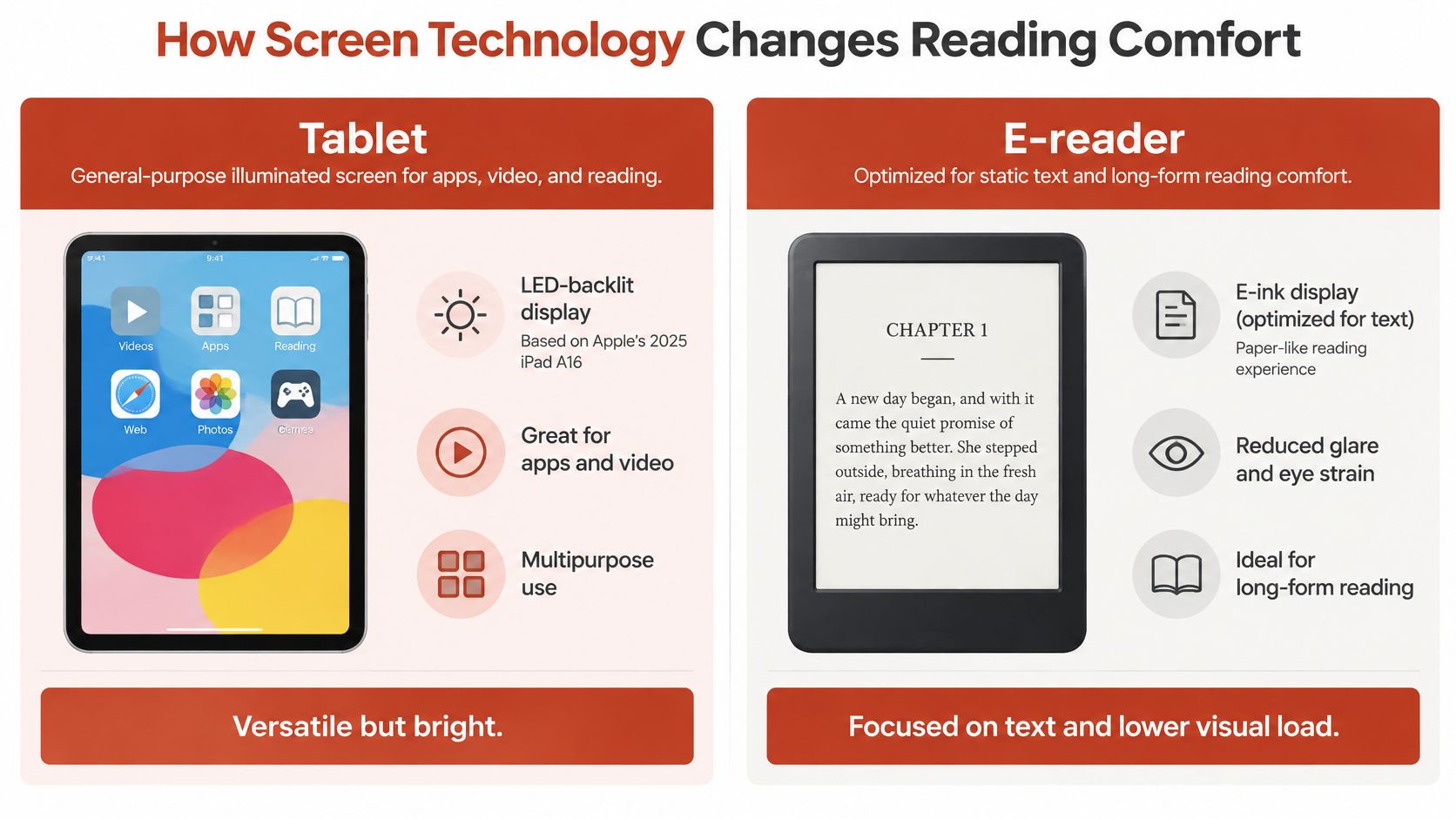
Apple's published specifications for the 2025 iPad A16 describe an LED-backlit IPS Multi-Touch display at 2360 by 1640 resolution, 264 pixels per inch and 500 nits maximum brightness, a panel built for color, video, web pages and interactive apps (Apple iPad specifications). It is a light-emitting screen that remains active while content is displayed.
The Kindle Paperwhite works the other way around. Its e-ink display draws power mainly during page turns and front-light use, since a static page of text does not require the screen to keep producing light. The design intent follows from that: the Paperwhite is optimized for static text over long sessions, and the iPad is optimized for everything the Paperwhite cannot do.
What changes in use
Outdoors, a reflective e-ink page behaves like paper and stays legible in direct sun. A backlit tablet has to out-shine the ambient light to hold contrast, and glossy glass adds reflections on top of that, which is where a 500-nit ceiling earns its place.
In a long dim session the balance shifts. Both devices can be dimmed low, but one puts light above the text and the other puts it behind the text, creating different exposure across a two-hour read. Neither spec sheet answers which feels better. They describe hardware behavior, and the comfort question depends on the lighting and session length a reader faces rather than on the screen label alone.
Four things to check on any spec page
- Display type. E-ink, LED-backlit IPS or OLED. This one line sets the light path for everything else.
- Maximum brightness in nits. A higher ceiling helps outdoors and does no harm indoors if the panel dims low enough.
- Front light with warm-tone control. Relevant for bedtime sessions on e-ink, and for tablets that offer a night mode.
- Power behavior during reading. Page-turn draw on an e-reader, continuous screen draw on a tablet.
Does the Device Change What You Understand
Scrolling, not the display label, produces the clearest comprehension difference between formats. A 2024 network meta-analysis indexed by ERIC compared paper, tablets, e-readers, computers and smartphones across 56 studies and 79 effect sizes and ranked comprehension in that order, with paper highest and smartphones lowest (the ERIC record for the network meta-analysis).
The ranking is clear; the gaps are not:
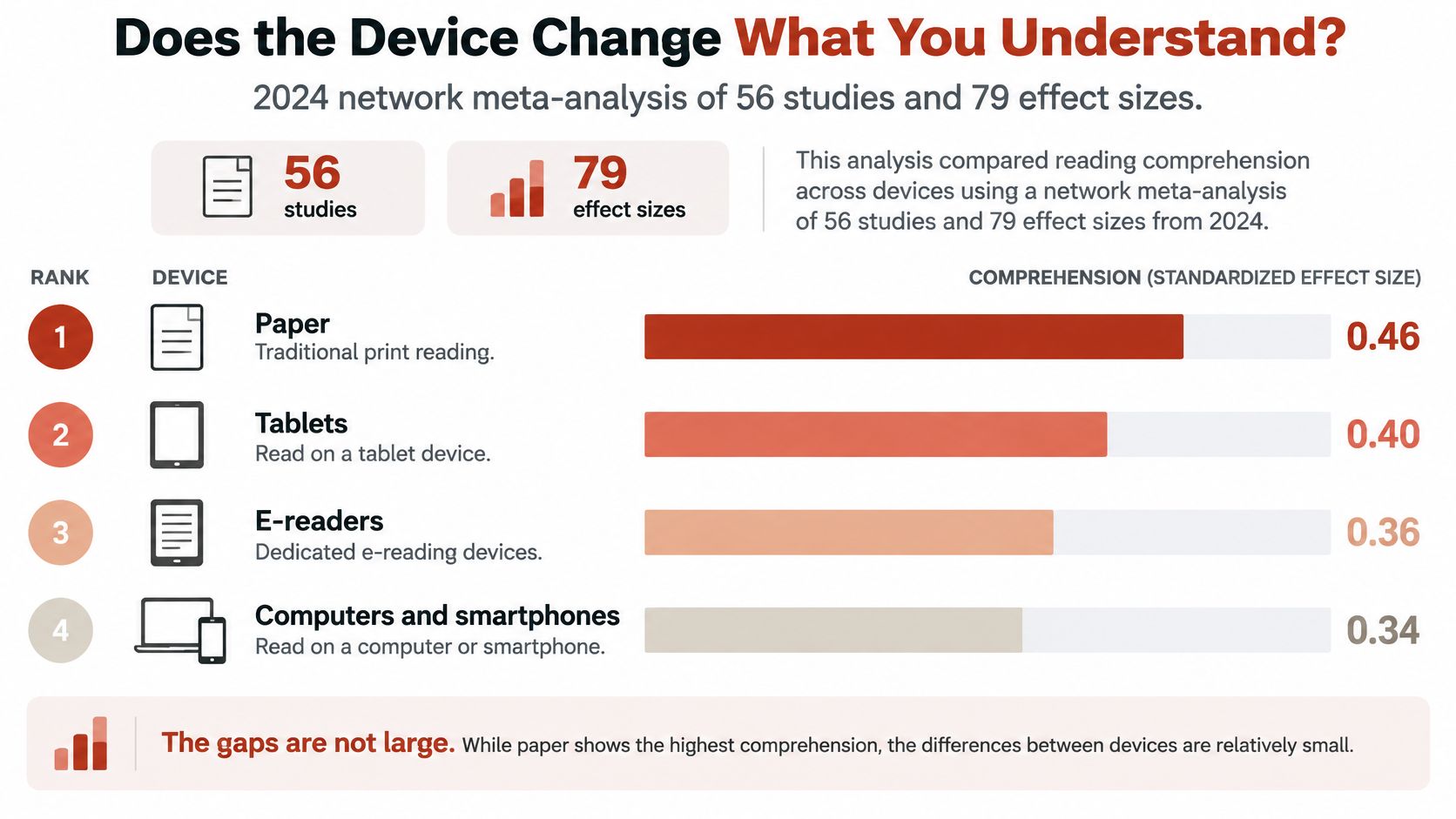
When scrolling was required, paper pulled ahead with Hedges' g values of approximately 0.35 to 0.48. When scrolling wasn't required, the differences between paper and digital devices dropped to g = 0.03 to 0.12, a range the analysis describes as small and statistically unreliable. Tablet reading without scrolling produced the strongest result among the digital formats examined, at g = 0.03 relative to the comparison formats.
That conditional pattern explains the whole buying decision. Tablets perform well when text sits in stable, page-like layouts, and e-readers are purpose-built for focused book reading with fewer on-device distractions. The device category mostly sets the default layout, which is why layout ends up mattering more than the panel.
Practical rule: judge the reading app before the device. A paginated layout on a tablet beats a scrolling layout on an e-reader for anything you need to remember afterward.
Rules that follow from the effect sizes
- Avoid scrolling for study. Long web articles read by scroll produce the widest paper advantage, on either device.
- Convert to paginated formats. EPUB and fixed-page PDF layouts preserve position cues, so a reader can find a paragraph again.
- Pick the device for the purpose. A tablet for reference material you zoom and annotate, an e-reader for linear text you finish over several hours.
Layout, scrolling and reading purpose change outcomes more than the category does. A buyer who mostly reads saved web articles will get a different experience from a buyer who reads novels, even when both choose the same device type, unless the articles arrive as paginated text.
Reading at Night Without Losing Sleep
The panel label is the wrong place to look for a sleep problem. Night risk is built from timing, brightness, light direction and session length; those variables can make the same device gentle or disruptive.
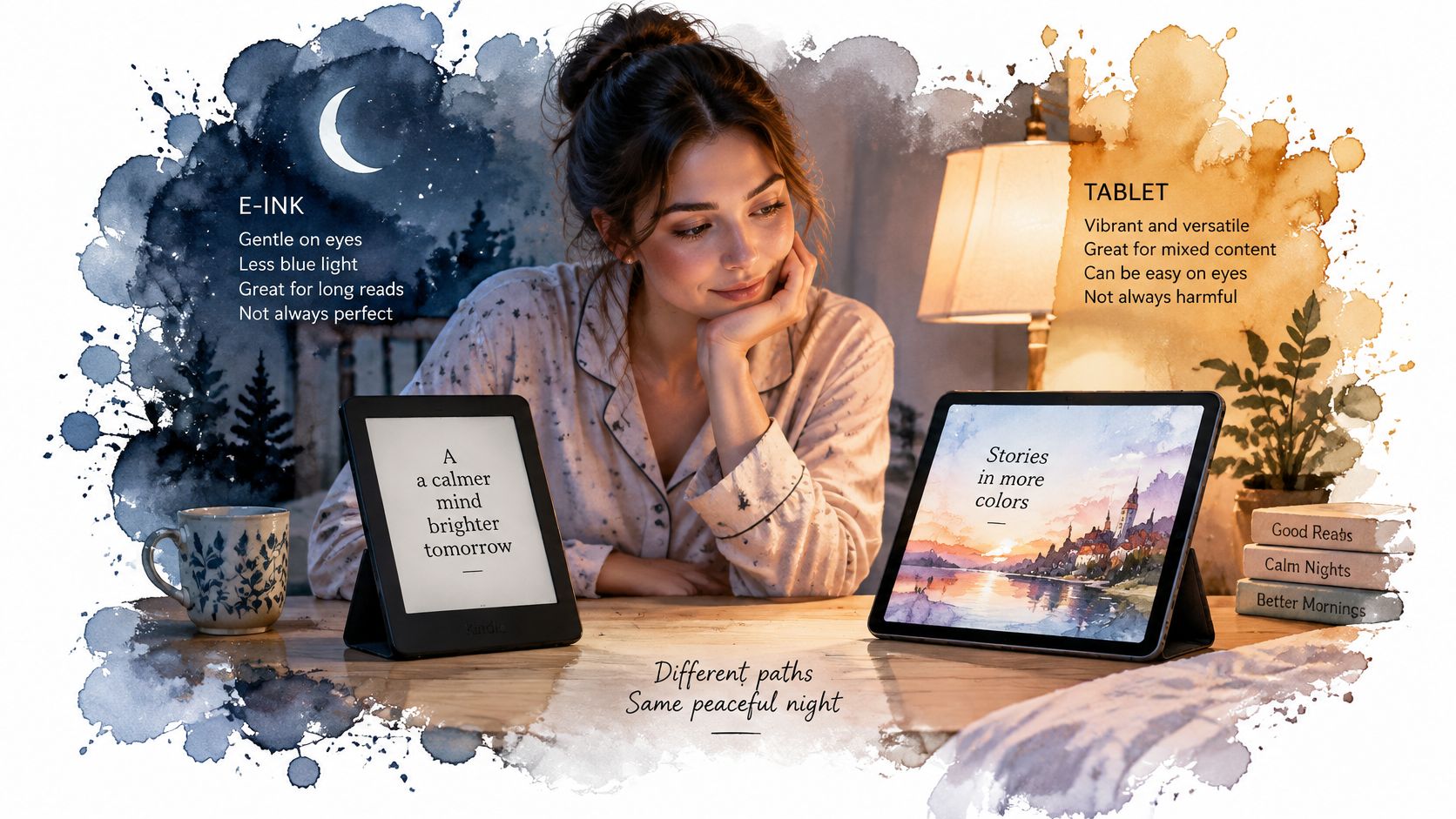
A controlled crossover study in PNAS tested the harshest version of a tablet session: participants read on a backlit iPad for four hours before bed, then read a printed book under dim light. On the tablet nights their melatonin rhythm was delayed, sleep latency ran nearly 10 minutes longer, REM sleep was reduced and next-morning alertness was lower (the PNAS study on evening light and sleep).
Two boundaries keep that result from becoming a slogan. One is dose: a four-hour pre-bed session exceeds an ordinary chapter. The other is direction: a front-lit e-reader can still push light into a dark room if it is left bright. Light bounced off a page behaves like room light, while light transmitted through a panel reaches the eye more directly.
A front light behaves more like a lamp than a backlight, and that difference matters most in the hour before bed.
- Reflective e-ink. No built-in light, so the page borrows room light the way paper does and needs a lamp in the evening.
- Front-lit e-ink. LEDs sit above the page and can run warm at low levels, and most models let the reader switch the light off entirely.
- LCD tablets. The backlight sits behind the panel and the screen stays lit for the whole session.
- OLED tablets. Each pixel emits its own light, so a dark background leaves most pixels quiet.
Settings outweigh the badge. A dim tablet in dark mode for twenty minutes is a smaller exposure than a bright tablet read for four hours, and advice that treats those sessions as identical mistimes the risk. Ocular comfort is a separate outcome from sleep, so judge it by font size, viewing distance and session length rather than by the panel name.
Five changes move the result: set brightness as low as the text allows, use warm-light mode after sunset, raise font size to cut page turns and squinting, shorten sessions close to bedtime, and leave a gap between the last page and lights out. The population-level picture on sleep duration and screen habits sits in the sleep statistics collection.
Battery, Weight and Price Over Time
Three specifications decide whether a reading device still earns its keep a year after purchase: charging cadence, hand fatigue and what the price had to cover. Battery claims on the two device types measure different quantities, so the headline numbers cannot be compared directly. An e-reader's power draw follows page turns and front-light use, so makers quote battery life in weeks per charge. A tablet's draw follows screen brightness, running apps and screen-on time, so makers quote it in hours and attach conditions to the figure.
How to read battery, weight and price claims
| Criterion | E-reader (e-ink) | Tablet (LCD or OLED) |
|---|---|---|
| Battery claim basis | Page turns and front-light use | Screen brightness, running apps and screen-on time |
| Stated unit | Weeks per charge | Hours per charge |
| What shortens the claim | Frequent page turns and sustained front-light use | Higher brightness and longer screen-on sessions |
| Weight over a long session | Built around one-handed holding | Scales with screen size; heavier models tire the hand before an hour is up |
| What the price covers | A single reading task | Reading plus email, video, note-taking and calls |
Whether the difference matters depends on session length. A device picked up for fifteen minutes at a time barely registers its battery unit or its weight. Held through a long novel, the same device turns both into daily facts: a charging rhythm on one side, a tiring grip on the other. Handling cost is cumulative, and it is the reason readers describe giving up on a device they otherwise liked.
Price needs the most care because the two purchases have different shapes. An e-reader buys one job, so its price stands or falls on reading volume. A tablet's price spreads across email, video, note-taking and calls, and the honest comparison is against what it replaces. In households surveyed for a 2024 study of children's media use, tablets appeared in 67.1% of homes in the later survey period, against 58.5% owning books. Where a tablet already sits in the house, a dedicated reader becomes a second device, which weakens the case for buying one to cover a short reading list.
What to verify at the point of purchase
- The current price on the maker's store, not a cached figure on a comparison site.
- The battery claim in its stated unit, with the conditions the maker attaches in the same paragraph.
- The weight of the exact model, held against the device already carried every day.
- Front light and warm-tone control if bedtime reading is the main job.
- Audio support if audiobooks share the account with ebooks.
Makers change prices, plans and terms often, so check the price on the maker's site before buying or upgrading. Corrections, new prices and requests for a category to be ranked go to editorial@hearsmart.org, and every message is read.
Choose the Right Device for Your Reading Week
Best device by reading situation
| Reading situation | Better fit | Why |
|---|---|---|
| Long novels on a commute | E-reader | Lighter, page-based layout with fewer notifications |
| Outdoor reading in bright sun | E-reader | E-ink stays readable in sunlight, while tablet glass can reflect glare |
| Textbooks with diagrams and PDFs | Tablet | Color, zoom and annotation on a large screen |
| Color picture books or illustrated guides | Tablet | Full-color display |
| Audiobooks alongside ebooks | Tablet | Runs multiple apps; check audio support on each e-reader model |
| Magnification or text-to-speech needs | Tablet | Broader built-in accessibility features |
| Heavy daily reading with tired hands | E-reader | Lighter device, less strain over long sessions |
| Bedtime reading | Depends on settings | Brightness, warm-light mode and session length matter more than category |
Read that table as a map of workloads rather than a ranking of hardware. Few readers live in a single row. A week that mixes a commute novel, a work PDF and a bedtime chapter touches three rows at once, and the device that covers two of the three usually makes a better purchase than the one that wins a single row.
Field research shows the same conditionality as the lab data. A 2025 study of reading device use found older adults split on tablets: some valued the larger screen, while others reported glass reflections in bright sunlight, eye fatigue and greater tablet weight. The useful question is which device fits a specific workload, environment and reader.
Ownership overlap complicates the environmental case as well. The same analysis summarized estimates that an e-reader carries an embodied footprint of roughly 80 pounds of carbon and becomes the greener option only after substantial use, about 13 books annually under one estimate or roughly 20 university textbooks over a three-year life under another. For a household that already owns a tablet, the question cuts both ways: a dedicated reader can cut impact if it replaces years of occasional tablet reading, or raise it if the device ends up in a drawer.
The verdict
Choose an e-reader when most reading is long, focused and done outdoors or in bed with the front light. Choose a tablet for PDFs, illustrated or interactive material, magnification, text-to-speech and any reading that alternates with apps. Own both only when the tablet already earns its place for other tasks and reading volume is heavy enough to justify a second device. The comprehension gaps between categories stay modest, and they track scrolling and layout more than the panel itself.
Four checks in order
- Confirm the reading purpose. Linear text points to e-ink, reference and annotation point to a tablet.
- Confirm location and session length. Sunlight and long sessions favor e-ink, a bright office and short mixed sessions favor a tablet.
- Compare battery and weight claims on the maker's pages, in the unit each maker uses.
- Check the price on the maker's store on the day you order, then compare it with what the device replaces.
Three sessions cover most reading weeks: the long novel, the work document and the bedtime chapter. Match each to the table, count which device covers two of the three, and buy that one. HearSmart's ranking pages open with a spec sheet table so readers can compare current models, and the best e-readers ranking lines those models up against the four checks above in one pass.
A concrete count settles most ties. Take a week with a commute novel, two work PDFs and three bedtime chapters: the tablet clearly covers the PDFs, the e-reader carries the commute, and bedtime still comes down to warm-light settings on whichever device wins the other two rows. Run the same count for your own week and the category question largely answers itself, because the screen label matters less than where each session happens, how long it runs and under what light.
Spotted an error in this guide? Email editorial@hearsmart.org