Review · Software & apps
 Bitwarden review
An open source vault that syncs free across every phone, laptop and browser you own.
By the HearSmart research desk · Updated November 25, 2026
The short answer
Bitwarden is an open source password manager whose free plan stores unlimited passwords on unlimited devices, with Premium at $19.80 a year and a Families plan for 6 people at $47.88 a year, according to Bitwarden's pricing page checked in November 2026. It is the strongest free option among the password managers on this site and the cheapest paid upgrade, and it suits budget-minded individuals, families of up to 6 and anyone who wants code that can be inspected.
- Performance (40%)
- 9.2
- Ease of use (25%)
- 8.0
- Value (35%)
- 9.8
What it looks like
Our verdict
Buy Bitwarden if you want one vault on every phone, laptop and browser without paying, or if you want a family plan for 6 people at $47.88 a year, the lowest family price in this site's password manager comparison. Pay for Premium at $19.80 a year if you want the built-in authenticator for two-factor codes, 5 GB of encrypted file attachments, emergency access and vault health reports. Look elsewhere if you want the most polished apps and live phone support, where 1Password is the closer fit, or if every device you own is Apple, where the free built-in Apple Passwords app may be enough. The deciding fact: the free plan has no cap on devices or stored passwords, which most rivals limit.
Overview
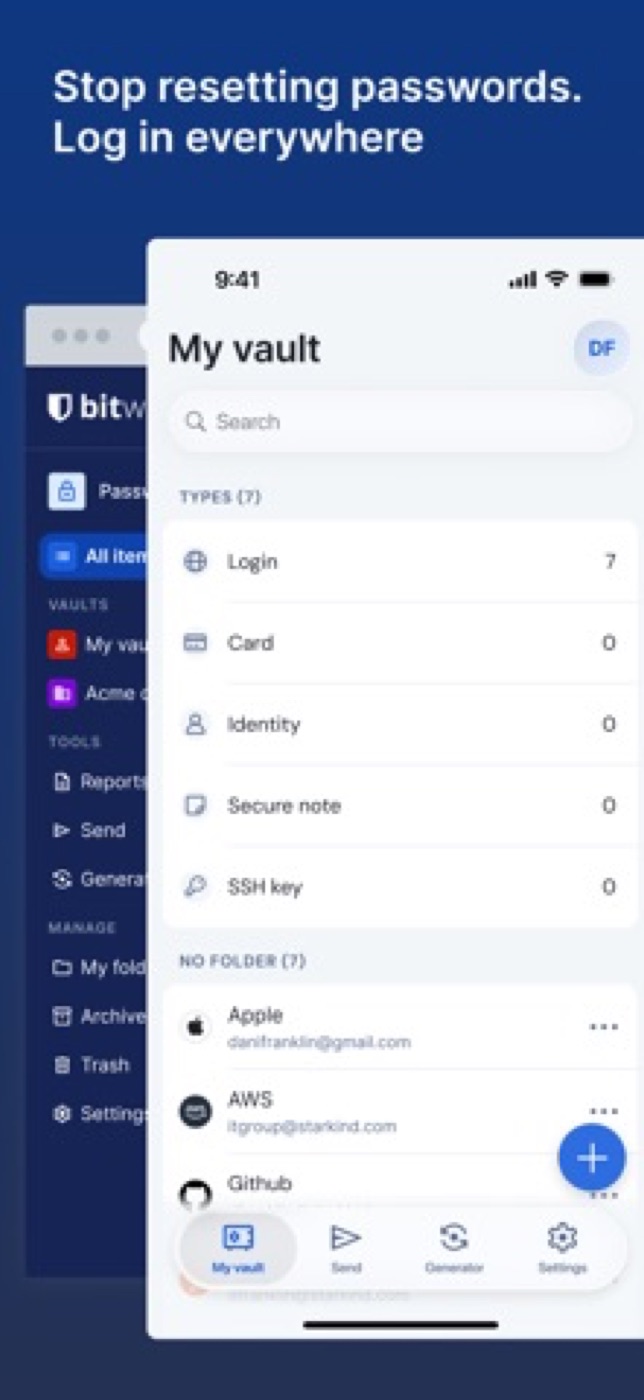
Bitwarden is a password manager made by Bitwarden, Inc. It stores logins, secure notes, payment cards, identities and passkeys in an encrypted vault that syncs across a web app, desktop apps for Windows, macOS and Linux, mobile apps for iPhone and Android, and browser extensions for Chrome, Edge, Firefox, Safari, Opera, Brave, Vivaldi, DuckDuckGo and Tor. Its source code is published on GitHub, and Bitwarden's help center describes vault encryption as AES-256 in CBC mode, applied on the device before data reaches Bitwarden's servers.
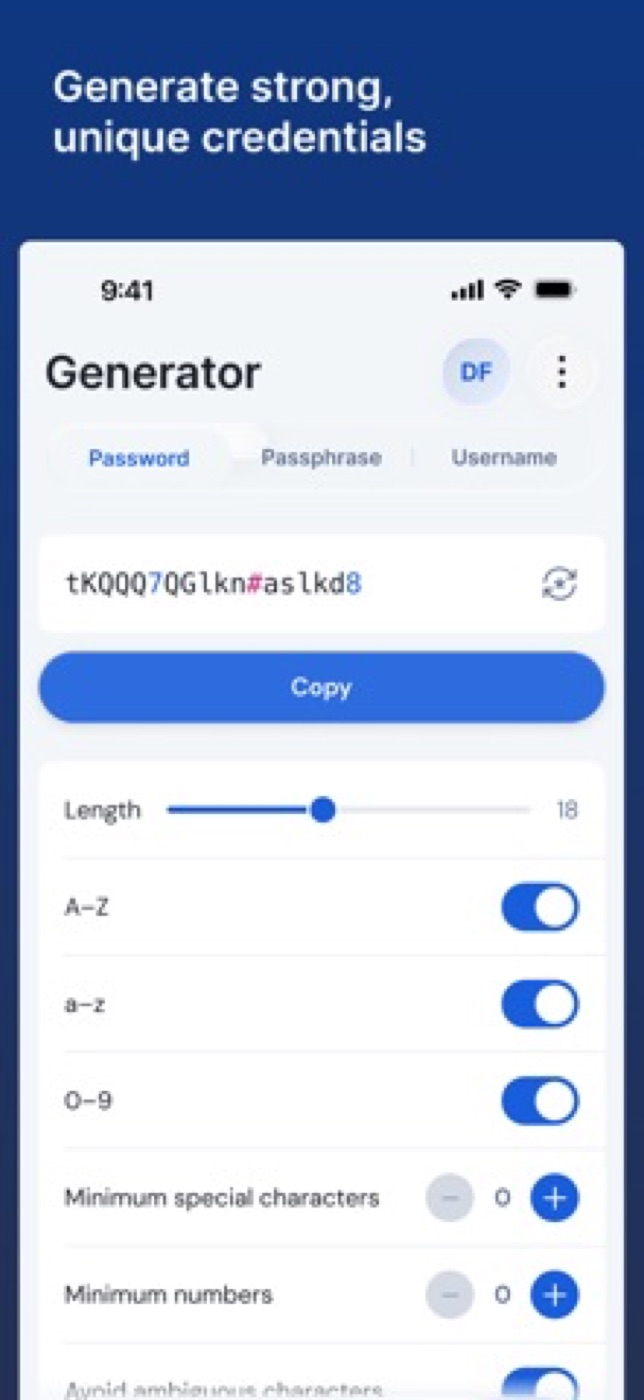
The personal line-up has four tiers. The Free plan covers unlimited storage of logins, notes, cards and identities on any device, a password and username generator, passkey storage, encrypted export, email alias integration and text-only Bitwarden Send. A Free organization lets two people share items in up to 2 collections. Premium, $1.65 a month billed annually at $19.80, adds the integrated authenticator (TOTP), 5 GB of encrypted file attachments, emergency access, vault health reports, file Sends, Yubico OTP and Duo two-step login and priority support. Families, $3.99 a month billed annually at $47.88, gives 6 people premium accounts plus unlimited sharing and collections, and Bitwarden's personal page offers a 14-day free trial. Business plans start at $4 per user per month for Teams and $6 for Enterprise, both billed annually.
Recent changes are mostly on the security side. Bitwarden's key derivation documentation says the 2026.2.1 release raised the minimum PBKDF2 setting to 600,000 iterations, the level OWASP recommends, and Argon2id is available as an alternative. The pricing page now lists vault health alerts and password coaching for paid users, which flag at-risk passwords where you use them. Bitwarden lists annual third-party audits, including Cure53 assessments and a 2025 audit of the browser extension and autofill overlay, plus SOC 2 Type 2, SOC 3, ISO 27001 certification and annual HIPAA audits.
Against the other picks on this site, Bitwarden wins on price. 1Password's Individual plan is $2.99 a month in its first-year offer and $3.99 after that, and Proton Pass Plus renews at $35.88 a year, while Bitwarden Premium is $19.80 a year with no introductory pricing to expire. Apple Passwords and Google Password Manager are free but tie you to one company's devices or browser, while Bitwarden runs on all major platforms. KeePassXC is free and open source too but stores the vault in a local file that you have to sync yourself.
The limits are real. Free sharing stops at one other person through a Free organization, and Premium alone does not add more sharing: Bitwarden's plan documentation notes that Premium does not include organization data sharing. The authenticator, file attachments, emergency access and health reports all need a paid plan. The master password cannot be reset or recovered by Bitwarden, so losing it without emergency access set up means losing the vault. Bitwarden's apps put function ahead of design, so people coming from a browser's built-in manager may need some time to learn them.
How it scored
Bitwarden fits the messy reality of a home with an iPhone, an Android phone and a Windows laptop. Its plans page gives a free account unlimited storage of logins, notes, cards and identities, and access on any device. The part many people miss is the free organization: 2 users can share up to 2 collections, so a couple can keep a Household folder and a Streaming folder in common without paying. A third person pushes you to Families, which is $47.88 a year for up to 6 users. One-time codes stored next to a login, file attachments, emergency access and security reports all sit in Premium at $19.80 a year. Read the recovery page before you start. Bitwarden says it has no way to access, retrieve or reset your master password, and suggests a hint, emergency access, a known device or a passkey login instead. If none of those work, you delete the account and begin again, so write the master password down somewhere safe.
Who it is for
Couples and mixed-device homes
Good fit if
- People who want a free password manager on every phone, computer and browser they own, with no device or password limit
- Families of up to 6 people who want separate premium vaults and shared collections for $47.88 a year
- Households with mixed devices, such as an iPhone, an Android tablet and a Windows laptop, where Apple Passwords or Google Password Manager would not cover everyone
- Privacy-minded users who want open source code, published third-party audits and the option to self-host the server
- People who want two-factor codes and passwords in one app for $19.80 a year
Skip it if
- Households that want several people sharing logins for free: free sharing stops at one other user, so a paid family plan is needed, and Bitwarden Families at $47.88 a year is the cheapest one on this site
- Anyone who only uses Apple devices and Safari: Apple Passwords is free, built into iOS 18 and macOS Sequoia and needs no extra app
- Buyers who care most about polished apps and guided setup: 1Password costs more but is the more refined choice in this site's comparison
- People who want a vault file kept entirely offline with no cloud account: KeePassXC stores everything in a local database file
Specifications
| Free plan | Yes, always free: unlimited passwords and unlimited devices | source |
|---|---|---|
| Premium price | $1.65 a month, billed annually at $19.80 (USD, taxes not included) | source |
| Families price | $3.99 a month for up to 6 users, billed annually at $47.88 | source |
| Free trial | 14 days on Families | source |
| Vault encryption | AES-CBC with 256-bit keys, zero-knowledge | source |
| Key derivation | PBKDF2 SHA-256 at 600,000 iterations by default, or Argon2id | source |
| Platforms | Web app; desktop for Windows 11, macOS and Linux; iPhone and Android apps; 9 browser extensions | source |
| Two-step login (free) | Hardware security key, authenticator apps or email | source |
| Two-step login (paid) | Adds Yubico OTP and Duo, up to 10 hardware security keys | source |
| Integrated authenticator (TOTP) | Premium and Families only | source |
| File attachments | 5 GB per paid account, files up to 500 MB (100 MB from mobile) | source |
| Free sharing | With one other user through a Free organization with 2 collections | source |
| Bitwarden Send | Text up to 1,000 characters on free; files up to 500 MB on paid plans; deleted after 7 days by default, 31 days at most | source |
| Self-hosting | Available on Free, Premium and Families | source |
| Certifications | SOC 2 Type 2, SOC 3, ISO 27001, annual HIPAA audit | source |
| Source code | Open source, published on GitHub | source |
Price
Free for 1 person, or 2 people through a free organization; Premium $19.80 a year; Families $47.88 a year for up to 6 users.
Premium $ 1.65 per month Billed annually at $19.80
Quoted from the vendor pricing page on November 25, 2026.
Plans and pricing
| Plan | Price | What is included | Source |
|---|---|---|---|
| Free | $0Always free | 1 user; Unlimited passwords, notes, cards and identities; Unlimited devices; Password and username generator; Passkey storage; Encrypted export; Email alias integration; Bitwarden Send for text; Sharing with one other user through a Free organization | Checked Nov 18, 2026 |
| Premium | $1.65 per month ($19.80 a year)Billed annually, USD, taxes not included | Everything in Free; Integrated authenticator (TOTP); 5 GB of encrypted file attachments; Emergency access; Vault health reports, alerts and password coaching; File Sends; Yubico OTP and Duo two-step login; Priority support | Checked Nov 18, 2026 |
| Families | $3.99 per month ($47.88 a year)Billed annually, USD, taxes not included; 14-day free trial | 6 premium accounts; Unlimited sharing; Unlimited collections; 5 GB per user plus 5 GB of shared organization storage | Checked Nov 18, 2026 |
| Teams | $4 per user per monthBilled annually, USD | All premium features for every member; Secure credential sharing; Event logs; Directory sync; SCIM provisioning | Checked Nov 18, 2026 |
| Enterprise | $6 per user per monthBilled annually, USD | All Teams features; Granular access control; SSO integration; Enterprise policies; Self-hosting; Free Families plan for all users | Checked Nov 18, 2026 |
Key features
No device or password cap on the free plan
Bitwarden's pricing page lists unlimited devices and unlimited passwords as core features in every account, including free ones. Many rivals limit their free tiers to one device or one device type, so this is the main reason Bitwarden is the default free pick.
Integrated authenticator
Paid accounts can store the six-digit timed codes used for two-step login next to each password and fill them during sign-in. This removes the need for a separate authenticator app, though it also puts both factors in one vault.
Bitwarden Send
Send creates an encrypted link to text of up to 1,000 characters or, on paid plans, a file of up to 500 MB (100 MB from mobile). Sends delete themselves after 7 days by default, with a maximum of 31 days, and can carry an access count limit, so a password or document can be shared with someone who has no Bitwarden account.
Emergency access
Premium and paid organization members can name trusted contacts who can request access to the vault. The request is granted when the owner approves it or when a wait time set by the owner runs out, and the owner can reject it during that window.
Passkeys and passwordless sign-in
Bitwarden saves passkeys inside login items and can use them from any Bitwarden app, and it supports biometric sign-in on supported devices. Passkeys can be exported and imported along with the rest of the vault.
Self-hosting
The Bitwarden server can run on your own hardware or private cloud, and the plan comparison lists the self-host option on Free, Premium and Families accounts. Self-hosted attachment storage is limited only by available disk space, up to 10 TB.
Audits and certifications
Bitwarden publishes reports from annual third-party audits, including Cure53 source code and network assessments and a 2025 audit of the browser extension and autofill overlay. It also lists SOC 2 Type 2 and SOC 3 reports, ISO 27001 certification and annual HIPAA Security Rule audits.
Strengths and weaknesses
What we like
- The free plan covers unlimited passwords on unlimited devices, with apps for Windows, macOS, Linux, iPhone, Android and 9 browsers
- Premium costs $19.80 a year, the lowest paid individual price among the password managers on this site, with no first-year discount that later expires
- Families covers 6 people for $47.88 a year, or about $8 per person per year, with unlimited sharing and collections
- Paid plans include 5 GB of encrypted file attachments per user, and Families adds 5 GB of shared storage
- Open source code, annual third-party audits and SOC 2 Type 2, SOC 3 and ISO 27001 certification
- Default key derivation of 600,000 PBKDF2 iterations, with Argon2id as an option
- Free accounts can still use hardware security keys for two-step login
- Self-hosting is available even on the free and personal plans
What could be better
- Free sharing is limited to one other user and 2 collections, and Premium alone does not add more sharing
- The integrated authenticator, file attachments, emergency access and vault health reports all require a paid plan
- Free accounts can send text only through Bitwarden Send, capped at 1,000 characters
- The master password cannot be reset or recovered by Bitwarden, so a forgotten password locks you out unless emergency access is set up
- Personal plans are billed annually only; there is no monthly option for Premium or Families
- The apps favor function over design, which can mean a slower start for people moving from a browser's built-in manager
Key facts
- Free plan: Unlimited logins on any device
- Free sharing: 2 users, 2 collections
- Premium: $19.80 a year
- Families: Up to 6 users, $47.88 a year
- Lost master password: Bitwarden cannot reset it
Where it ranks
Bitwarden is No. 1 in our Best Free Password Managers verdict and No. 2 in Best Password Managers.
Alternatives to consider
- 1Password: More polished apps and a 14-day trial with no card; Individual is $2.99 a month in the first year, then $3.99, and Families covers 5 people.
- Proton Pass: A free plan with email aliases from a privacy-focused company; Pass Plus renews at $35.88 a year.
- Keeper: 24/7 support and private vaults for each family member, at a higher price than Bitwarden.
- Apple Passwords: Free and built into iOS 18 and macOS Sequoia, a fit for households that use only Apple devices.
- KeePassXC: Free and open source with a local vault file and no cloud account.
Questions readers ask
Is Bitwarden really free?
Yes, Bitwarden's pricing page describes basic password management as always free, with unlimited passwords and unlimited devices. The free plan also includes the password generator, passkey storage, encrypted export and sharing with one other user. The authenticator, file attachments and emergency access need Premium.
How much does Bitwarden Premium cost?
Bitwarden Premium costs $1.65 a month, billed annually at $19.80, according to its pricing page in November 2026. Prices are in USD and exclude taxes. There is no monthly billing option for personal plans.
Is Bitwarden worth paying for?
For most people the free plan is enough, but Premium at $19.80 a year is worth it if you want two-factor codes inside the vault, 5 GB of encrypted file storage, emergency access and vault health reports. Families at $47.88 a year is worth it for any household that wants to share logins among more than two people.
Is Bitwarden safe?
Bitwarden encrypts vault data on the device with AES-256 and uses zero-knowledge encryption, so it cannot read your vault. Its code is open source, and it publishes annual third-party audits, including Cure53 assessments, plus SOC 2 Type 2 and ISO 27001 certification. As with any password manager, account safety also depends on a strong master password and two-step login.
Bitwarden vs 1Password: which is better?
Bitwarden is cheaper and has a free plan: Premium is $19.80 a year against 1Password's $3.99 a month regular Individual price. 1Password has no free plan but offers more polished apps and a 14-day trial. Pick Bitwarden for value and open source code, 1Password for ease of use.
How many people can use a Bitwarden Families plan?
A Bitwarden Families plan covers up to 6 users, each with a premium account, for $47.88 a year. It includes unlimited sharing and unlimited collections, and Bitwarden offers a 14-day free trial.
What happens if I forget my Bitwarden master password?
Bitwarden cannot reset or recover your master password because of its zero-knowledge design. On a paid plan, a trusted emergency contact named in advance can request access to the vault, which is the main safeguard against a forgotten password.
Does Bitwarden work on iPhone, Android and Mac?
Yes, Bitwarden has apps for iPhone and Android, desktop apps for macOS, Windows 11 and Linux, and browser extensions for Chrome, Safari, Firefox, Edge, Opera, Brave, Vivaldi, DuckDuckGo and Tor. All plans, including Free, sync across unlimited devices.
Sources we checked
- Bitwarden: Plans and pricing, checked November 18, 2026
- Bitwarden: Password manager for individuals and families, checked November 18, 2026
- Bitwarden Help: Password Manager plans, checked November 18, 2026
- Bitwarden Help: Encryption protocols, checked November 18, 2026
- Bitwarden Help: Encryption key derivation, checked November 18, 2026
- Bitwarden Help: About emergency access, checked November 18, 2026
- Bitwarden Help: About Send, checked November 18, 2026
- Bitwarden Help: Send lifespan, checked November 18, 2026
- Bitwarden Help: File attachments, checked November 18, 2026
- Bitwarden Help: Storing passkeys, checked November 18, 2026
- Bitwarden Help: Compliance, audits and certifications, checked November 18, 2026
- Bitwarden: Security compliance, checked November 18, 2026
- Bitwarden: Downloads, checked November 18, 2026
Deep review last updated November 18, 2026. We recheck prices and specs against these pages; send corrections to the address below.
Alternatives we scored
Cite this page
HearSmart. Bitwarden review. Updated November 25, 2026. https://hearsmart.org/review/bitwarden
Visit bitwarden.com · Questions or corrections: editorial@hearsmart.org