Review · Software & apps
 Dropbox review
The original sync service, known for fast file sync and sharing, with personal and family plans.
By the HearSmart research desk · Updated November 29, 2026
The short answer
Dropbox is a cloud storage and file sync service with 2 GB free and a 2 TB Plus plan at $11.99 a month or $119.99 a year on the US App Store, checked in November 2026. It suits people who keep the same folders on several computers or send files of up to 50 GB to clients. For storage alone it is the expensive choice, since Google and Apple both list 2 TB at $9.99 a month in the US.
- Performance (40%)
- 8.7
- Ease of use (25%)
- 8.8
- Value (35%)
- 7.4
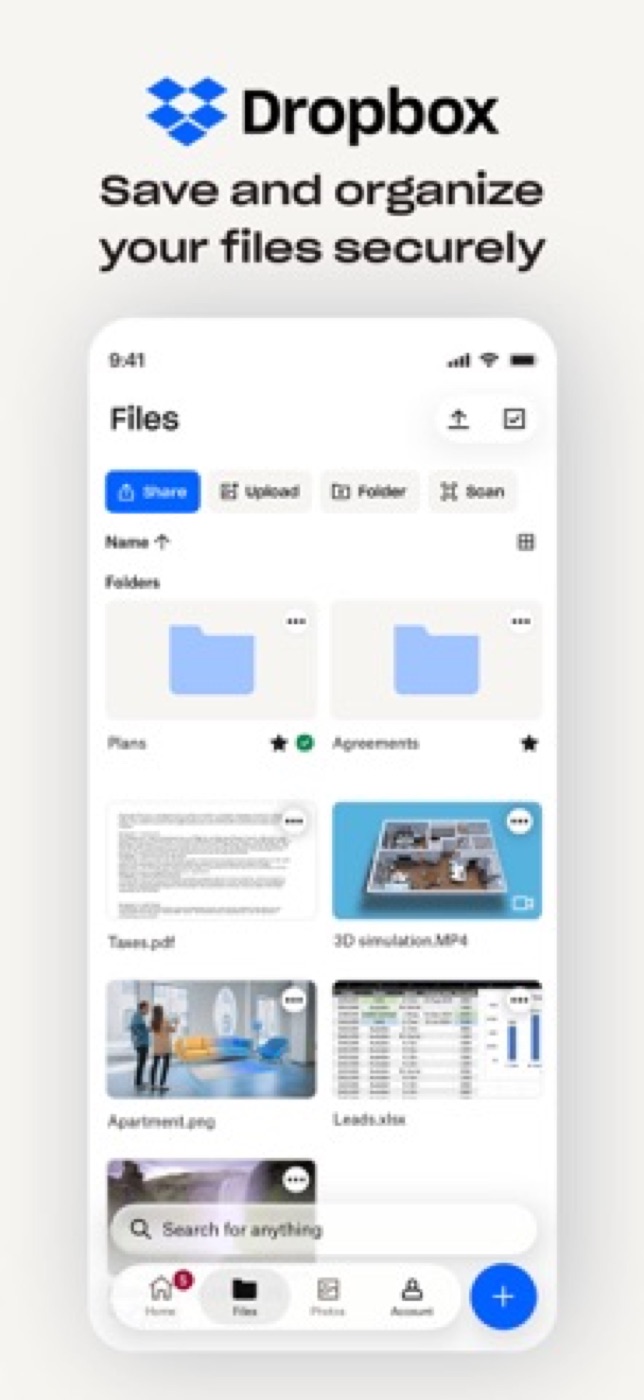
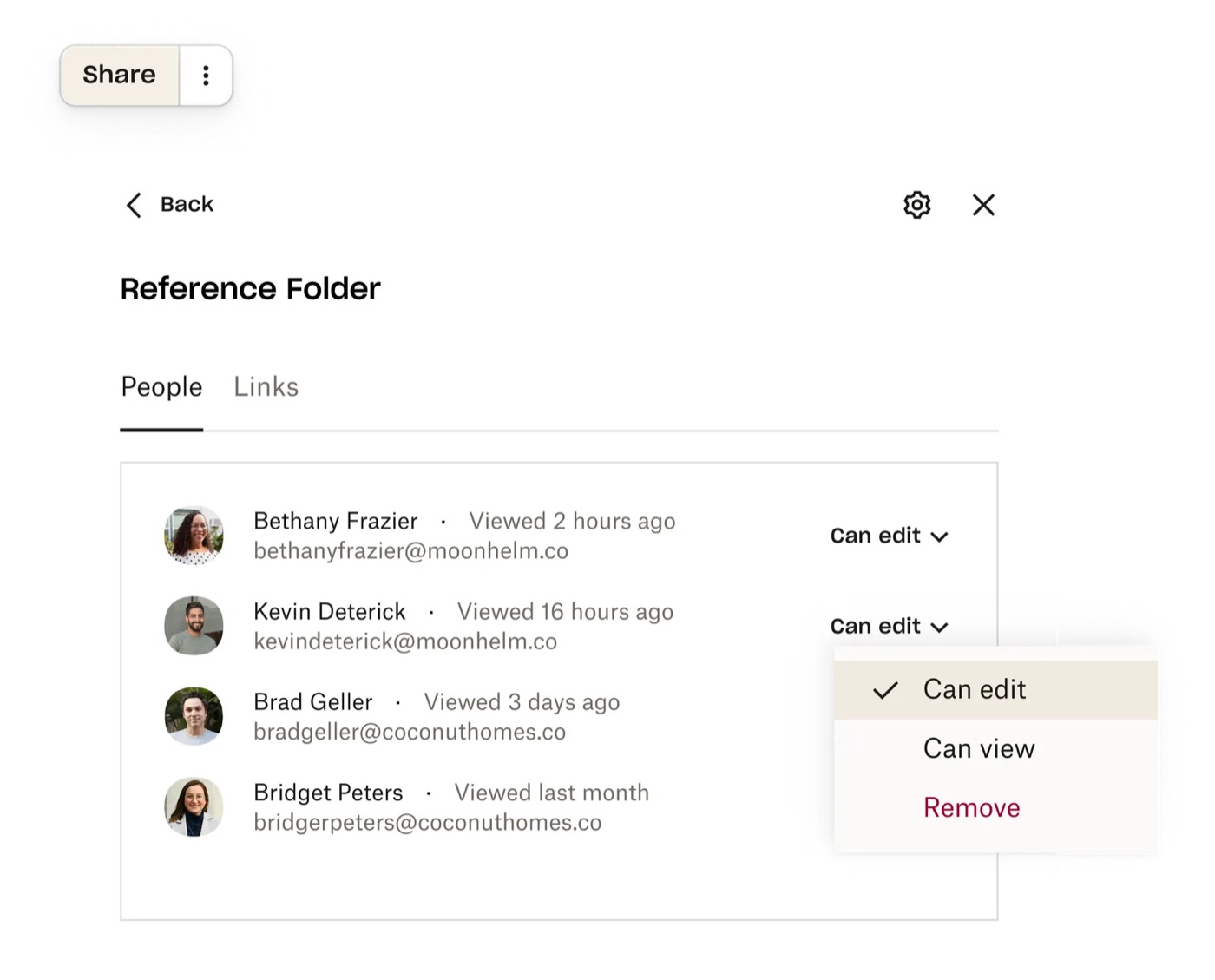
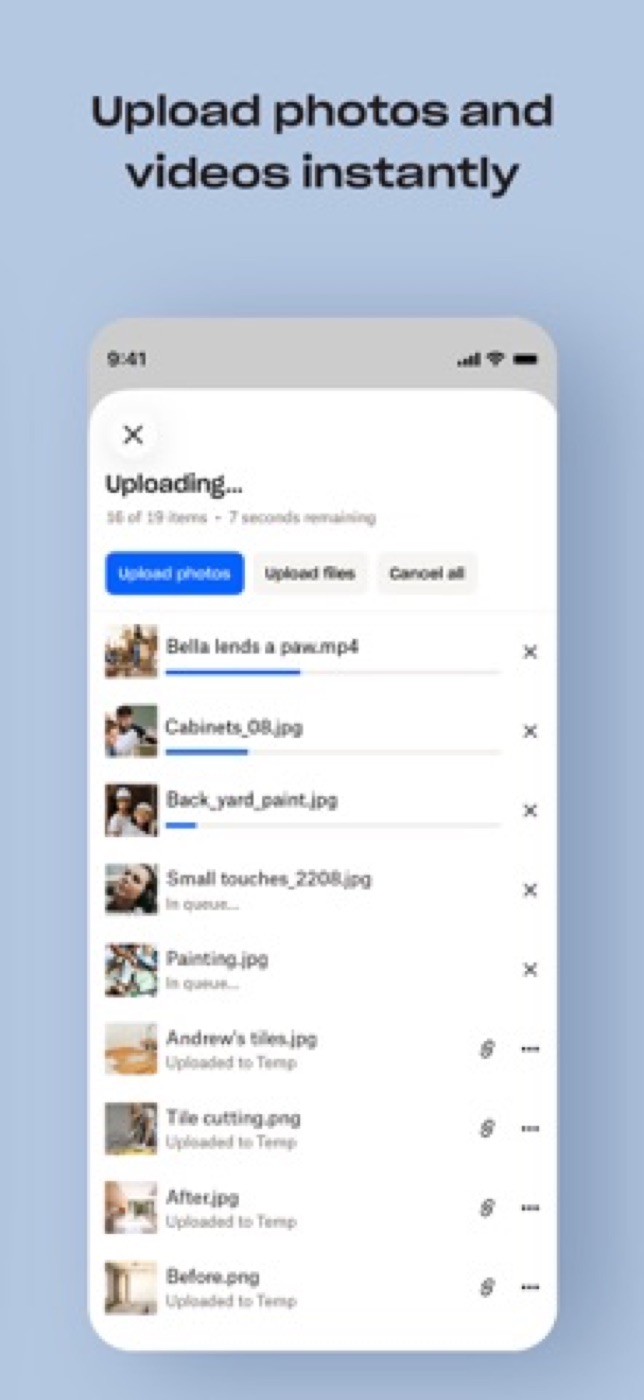
What it looks like
Our verdict
Choose Dropbox Plus if you work across Windows, Mac and Linux and regularly send large files to people who do not use the same service: it has 2 TB, unlimited devices, 50 GB transfers and 30 days of file recovery for $119.99 a year. Choose Google Drive for a useful free allowance, iCloud+ for an iPhone household, or Proton Drive if the provider must not be able to read personal files. The deciding fact is the price ladder: Dropbox goes from 2 GB free on 3 devices to 2 TB at $11.99 a month, with only a limited-availability mobile plan in between.
Overview
Dropbox stores files online and mirrors them to a folder on each linked computer. It supports Windows, macOS, Linux, Android, iPhone, iPad and most modern browsers. On 24 November 2026 the US App Store showed 4.8 stars from 939,000 ratings, and Google Play showed 4.3 stars from 2.33 million reviews and more than 1 billion downloads. In its third quarter 2026 results, Dropbox reported 18.20 million paying users, up from 18.07 million a year earlier.
The web plans page now leads with three paid plans: Plus for one person, Standard for one person or more, and Advanced for three or more. Enterprise is priced by sales, and the free Basic plan sits below the main table. Dropbox Professional has mostly been retired from the web: its help page says it can be bought on dropbox.com only in Brazil and Japan, although mobile app stores still sell it. The US App Store lists it at $19.99 a month or $199.99 a year.
Features have also been removed. Dropbox Passwords closed on 28 October 2025, when its stored logins were due to be permanently deleted, and Dropbox pointed users to 1Password. The Google Play description was still advertising Passwords and Vault as Plus features when checked on 24 November 2026, so that listing is not a reliable guide to what a new subscriber gets. The current plans page instead promotes PDF editing, signatures and connections to AI tools.
Against the main rivals on this site, Dropbox is weak on price and free space. Google One lists 2 TB at $9.99 a month on the US App Store and Apple lists 2 TB of iCloud+ at $9.99, against $11.99 for Plus billed monthly. Paying $119.99 a year brings Plus to about $10 a month. Microsoft 365 Personal has a list price of $99.99 a year with 1 TB and the desktop Office apps. Basic's 2 GB compares with 5 GB from Apple and up to 15 GB from Google.
The stronger case is file handling. One file can be up to 2 TB, files can be kept online-only to save disk space, and Plus can deliver a 50 GB transfer to someone with no account. LAN sync can pass data directly between computers on one network, although it is not supported on Macs using Apple File Provider. Shared links have daily caps: 20 GB on Basic and Simple, 1 TB on Plus, Family and Standard, and 4 TB on Advanced.
Privacy needs care. Dropbox says it encrypts stored and transferred files with 256-bit AES and SSL/TLS, but the plans table gives end-to-end encryption to Advanced and not to Plus or Standard. In April 2024 the separate Dropbox Sign service was breached: emails, hashed passwords, API keys and OAuth tokens were accessed. Dropbox said it found no evidence that documents were accessed or that other Dropbox products were affected.
How it scored
Dropbox is still one of the smoothest ways to keep the same folders in sync across several computers and to send big files to people who do not use the service. The Plus plan gives one person 2 TB, connects unlimited devices, lets you restore deleted files for 30 days and sends transfers of up to 50 GB. Online-only files keep your laptop drive free while everything stays visible in your folders, and PDF editing and signatures are included. On the US App Store, Dropbox lists a Simple plan at $6.99 a month, Plus at $11.99 a month or $119.99 a year, and a Family plan at $19.99 a month. The free Basic plan is the weak spot: 2 GB and up to 3 devices is enough to try the app but not to back up a phone. For pure photo backup, Apple's 2 TB tier at $9.99 a month costs less than Plus billed monthly, and Google and Microsoft sell cheaper small tiers.
Who it is for
People who share large files and folders often and want reliable sync across many computers.
Good fit if
- People who keep one set of folders in sync on several Windows, Mac or Linux computers
- Freelancers who send finished files of up to 50 GB, or up to 100 GB on Standard, to clients without accounts
- Video and photo workers with very large single files, up to 2 TB each
- Laptop owners who want to see every file without storing every file on the drive
- Solo professionals who need 180 days of recovery, which Standard offers with no minimum team size
Skip it if
- Anyone who wants a free plan they can use for years: Google Drive offers up to 15 GB against 2 GB
- iPhone owners who need 50 GB to 200 GB for photos and backups: iCloud+ costs $0.99 or $2.99 a month
- People who want end-to-end encrypted personal files: Proton Drive covers personal plans, while Dropbox keeps that feature for Advanced and Enterprise
- Households that need Word and Excel as well as storage: Microsoft OneDrive with Microsoft 365 Personal has a list price of $9.99 a month
Specifications
| Free storage | 2 GB | source |
|---|---|---|
| Free device limit | 3 linked devices | source |
| Plus storage | 2 TB (2,000 GB) for one person | source |
| Plus price | $11.99 a month or $119.99 a year | source |
| Largest single file | 2 TB, within the account's storage limit | source |
| Browser upload guidance | Files over 375 GB may time out; use the desktop app | source |
| Transfer size | 2 GB Basic, 50 GB Plus and Family, 100 GB Standard and Advanced, 250 GB Enterprise | source |
| Transfer expiry | 7 days on Basic, Plus and Family; 30 days by default, or custom, on Standard and Advanced | source |
| Version history | 30 days Basic, Plus and Family; 180 days Standard; 365 days Advanced and Enterprise | source |
| Daily shared link bandwidth | 20 GB Basic and Simple; 1 TB Plus, Family and Standard; 4 TB Advanced and Enterprise | source |
| Encryption | 256-bit AES and SSL/TLS | source |
| End-to-end encryption | Advanced and Enterprise; not Plus or Standard | source |
| Extra storage | 1 TB add-ons for Plus and Standard, bought on dropbox.com only | source |
| Computer support | Windows 10 and 11, macOS 11 or later for the full app, Ubuntu 18.04 or Fedora 28 and later | source |
| Phone support | iOS 18 or later; Android 10 or later | source |
Price
2 GB free; Simple $6.99 per month, Plus $11.99 per month or $119.99 a year, Family $19.99 per month as in-app purchases on the US App Store.
Dropbox Simple - Monthly $6.99
Quoted from the vendor pricing page on November 29, 2026.
Plans and pricing
| Plan | Price | What is included | Source |
|---|---|---|---|
| Basic | $0Free | 2 GB for one person; Up to 3 linked devices; 30 days of recovery and version history; Transfers up to 2 GB | Checked Nov 24, 2026 |
| Simple | Price not shown on the 24 November App Store listing; that listing showed $6.99 a month on 9 NovemberMonthly, through mobile app stores in select countries | 500 GB; Basic features; Up to 3 linked devices | Checked Nov 24, 2026 |
| Plus | $11.99 a month or $119.99 a yearMonthly or annual; US App Store in-app prices | 2 TB for one person; Unlimited devices; 30 days to restore files; Transfers up to 50 GB; Dropbox Rewind, Backup and remote wipe | Checked Nov 24, 2026 |
| Family | Price not shown on the 24 November App Store listing; that listing showed $19.99 a month on 9 NovemberMonthly; mobile app store price | 2 TB shared by up to 6 members; A separate account for each member; All Plus features and a Family Room folder | Checked Nov 24, 2026 |
| Professional | $19.99 a month or $199.99 a yearMobile app stores; on dropbox.com only in Brazil and Japan | 3 TB; 180 days of version history; Link passwords and expiry dates; Viewer history and watermarking | Checked Nov 24, 2026 |
| Standard | €12 per user a month on the page shown in Europe; USD price not shownMonthly or yearly billing offered | One person or more; From 3 TB for the team; 180 days to restore files; Transfers up to 100 GB; Password-protected files and team folders | Checked Nov 24, 2026 |
| Advanced | €18 per user a month on the page shown in Europe; USD price not shownMonthly or yearly billing offered; 3 people or more | From 15 TB for the team; 1 year to restore files; End-to-end encryption and advanced key management; Single sign-on and audit logs; Ransomware detection and recovery | Checked Nov 24, 2026 |
| Enterprise | Price not listedContact sales | Custom users and storage; Transfers up to 250 GB; 24/7 phone support; Network control and domain insights | Checked Nov 24, 2026 |
Key features
Folder sync and online-only files
The desktop app keeps a Dropbox folder in sync on each computer. Files marked online-only stay visible but take no local space. Opening one downloads it, so the drive needs room for that file.
Dropbox Transfer
Transfer sends a copy of finished files by link, and the recipient needs no account. Limits are 2 GB on Basic, 50 GB on Plus and 100 GB on Standard. Plus links expire after 7 days; passwords and custom expiry need Standard or above.
Version history and Rewind
Basic, Plus and Family keep 30 days of versions, Standard keeps 180 and Advanced 365. Version history takes no storage space. A longer window starts on the upgrade date and does not restore older versions. Rewind on Plus can roll back a file, a folder or the whole account.
Computer backup
Dropbox Backup copies chosen folders from a computer and external drives and can restore them to a new machine. Dropbox says it is included in all plans, so on Basic it is bound by the 2 GB allowance.
LAN sync
Computers on the same network can exchange file data directly over an encrypted HTTPS connection. It requires IPv4, and Dropbox says it is not supported on Macs running the Apple File Provider version.
PDF editing and signatures
Plus and Standard users get PDF editing, unlimited self-signing and 3 signature requests a month, according to the plan comparison table. The same table lists editing of existing PDF text for Standard and Advanced.
Extra storage in 1 TB steps
Plus and Standard users can buy 1 TB add-ons. They are sold only on dropbox.com, and a subscription bought through Apple or Google cannot add them without first moving to direct billing.
Strengths and weaknesses
What we like
- Plus has 2 TB and no device limit, against 3 devices on Basic
- Single files can be as large as 2 TB through the desktop app or API
- Transfers reach 50 GB on Plus and 100 GB on Standard, and recipients need no account
- Official desktop app for Linux (64-bit Ubuntu and Fedora) as well as Windows and Mac
- Version history does not use storage space, and reaches 180 days on Standard or 365 on Advanced
- Standard has no minimum team size, so one person can buy 3 TB and 180-day recovery
- Storage grows in 1 TB steps on Plus without changing plan
What could be better
- Only 2 GB free, against 5 GB from Apple and up to 15 GB from Google
- Plus at $11.99 a month is $2 more than 2 TB from Google One or iCloud+
- No widely sold middle plan: the 500 GB Simple plan is mobile-only, limited to select countries and 3 devices
- Plus and Family keep deleted files for 30 days and transfers expire after 7
- End-to-end encryption starts at Advanced, which needs 3 or more people
- Accounts that stay over 2 GB after cancelling may lose the ability to sync or share, and Dropbox may delete files
Key facts
- Free storage: 2 GB, up to 3 devices
- Cheapest paid plan: Simple, $6.99 per month in the US App Store
- Plus storage: 2 TB
- Deleted file recovery: 30 days on Plus
- Transfer size: Up to 50 GB on Plus
Where it ranks
Dropbox is No. 6 in our Best Cloud Storage verdict and No. 10 in Best Photo Storage Apps.
Alternatives to consider
- Google Drive: Up to 15 GB free and 2 TB for $9.99 a month on the US App Store, with small paid plans from $1.99.
- iCloud+: Built into iPhone and Mac: 50 GB for $0.99, 200 GB for $2.99 and 2 TB for $9.99 a month in the US.
- Microsoft OneDrive: 1 TB and the desktop Office apps at a list price of $99.99 a year in Microsoft 365 Personal.
- Proton Drive: End-to-end encrypted storage on personal plans; the US App Store lists 1 TB at $9.99 a month.
Questions readers ask
Is Dropbox worth it in 2026?
Yes if you sync across several computers or send files of up to 50 GB, because Plus combines 2 TB, unlimited devices and large transfers for $119.99 a year. For plain storage, Google One and iCloud+ offer 2 TB at $9.99 a month.
Does Dropbox have a free plan?
Yes, Dropbox Basic is free with 2 GB of storage and up to 3 linked devices. It includes 30 days of file recovery and transfers up to 2 GB, and referring friends can earn more space.
How much does Dropbox cost per month?
Dropbox Plus costs $11.99 a month or $119.99 a year for 2 TB on the US App Store, checked on 24 November 2026. Professional costs $19.99 a month there. The web page checked showed euro prices for Standard and Advanced, so US business prices need confirming on dropbox.com. An independent pricing guide updated on 4 November 2026 gives Standard as $18 per user monthly or $15 billed yearly.
Dropbox vs Google Drive: which is better?
Google Drive is better for price and free space, with up to 15 GB free and 2 TB for $9.99 a month. Dropbox is better for Linux users and for sending large finished files, with 50 GB transfers on Plus.
How long does Dropbox keep deleted files?
Dropbox keeps deleted files for 30 days on Basic, Plus and Family. The window is 180 days on Standard and 1 year on Advanced, and files that have been permanently deleted cannot be restored.
Is Dropbox end-to-end encrypted?
Not on personal plans: Dropbox lists end-to-end encryption for Advanced and Enterprise, and leaves it out of Plus and Standard. The plan table lists 256-bit AES and SSL/TLS encryption for every paid plan. Proton Drive is the alternative on this site for encrypted personal storage.
What is the largest file Dropbox can store?
The maximum file size is 2 TB, provided the account has enough space. Dropbox warns that browser uploads above 375 GB may time out and recommends the desktop app or API.
What happened to Dropbox Passwords?
Dropbox Passwords was discontinued on 28 October 2025, and Dropbox said the stored data would be permanently deleted after that date. It recommended moving to 1Password and said Dropbox files were not affected.
Sources we checked
- Dropbox plans (euro prices shown), checked November 24, 2026
- Dropbox business plan comparison, checked November 24, 2026
- Dropbox Basic, checked November 24, 2026
- Dropbox, US App Store, checked November 24, 2026
- Dropbox, Google Play (US), checked November 24, 2026
- Dropbox Help: file size limit, checked November 24, 2026
- Dropbox Help: system requirements, checked November 24, 2026
- Dropbox Help: version history, checked November 24, 2026
- Dropbox Help: Dropbox Transfer, checked November 24, 2026
- Dropbox Help: sharing limits and bandwidth, checked November 24, 2026
- Dropbox Help: get more storage, checked November 24, 2026
- Dropbox Help: device limits, checked November 24, 2026
- Dropbox Help: Family plan, checked November 24, 2026
- Dropbox Help: Simple plan, checked November 24, 2026
- Dropbox Help: Plus plan, checked November 24, 2026
- Dropbox Help: Professional plan, checked November 24, 2026
- Dropbox Help: Passwords discontinuation, checked November 24, 2026
- Dropbox Help: cancel or downgrade, checked November 24, 2026
- Dropbox Help: online-only files, checked November 24, 2026
- Dropbox Help: LAN sync, checked November 24, 2026
- Dropbox: end-to-end encryption, checked November 24, 2026
- Dropbox Backup, checked November 24, 2026
- Dropbox third quarter 2026 results, Business Wire, checked November 24, 2026
- Dropbox Sign security incident notice, checked November 24, 2026
- SaaS CRM Review: Dropbox pricing guide, checked November 24, 2026
- Google One, US App Store, checked November 24, 2026
- Apple: iCloud+ plans and pricing, checked November 24, 2026
- Proton Drive, US App Store, checked November 24, 2026
- Microsoft: compare Microsoft 365 plans, checked November 24, 2026
- Google One plans (free storage), checked November 24, 2026
Deep review last updated November 24, 2026. We recheck prices and specs against these pages; send corrections to the address below.
Alternatives we scored
- Google Drive9.1
- iCloud+9.1
- Microsoft OneDrive8.8
- pCloud8.5
Cite this page
HearSmart. Dropbox review. Updated November 29, 2026. https://hearsmart.org/review/dropbox
Visit dropbox.com · Questions or corrections: editorial@hearsmart.org