Review · Kids & family
 FamiSafe review
Wondershare's parental control app with real-time location, geofencing alerts, driving route tracking and SOS notifications.
By the HearSmart research desk · Updated November 28, 2026
The short answer
FamiSafe is Wondershare's parental control app for Android, iPhone, iPad, Kindle Fire, Windows, Mac and Chromebook, with screen time limits, app blocking, web filtering, location tracking, driving reports and social app alerts. On Wondershare's US web store the Yearly plan costs $59.99 for up to 10 devices, while the free tier covers 1 device but locks the controls and shows demo data, as checked in November 2026. It suits Android families who want location, geofences and a teen driver's trip reports in the same app as deep phone monitoring.
- Performance (40%)
- 8.4
- Ease of use (25%)
- 7.4
- Value (35%)
- 7.6
What it looks like
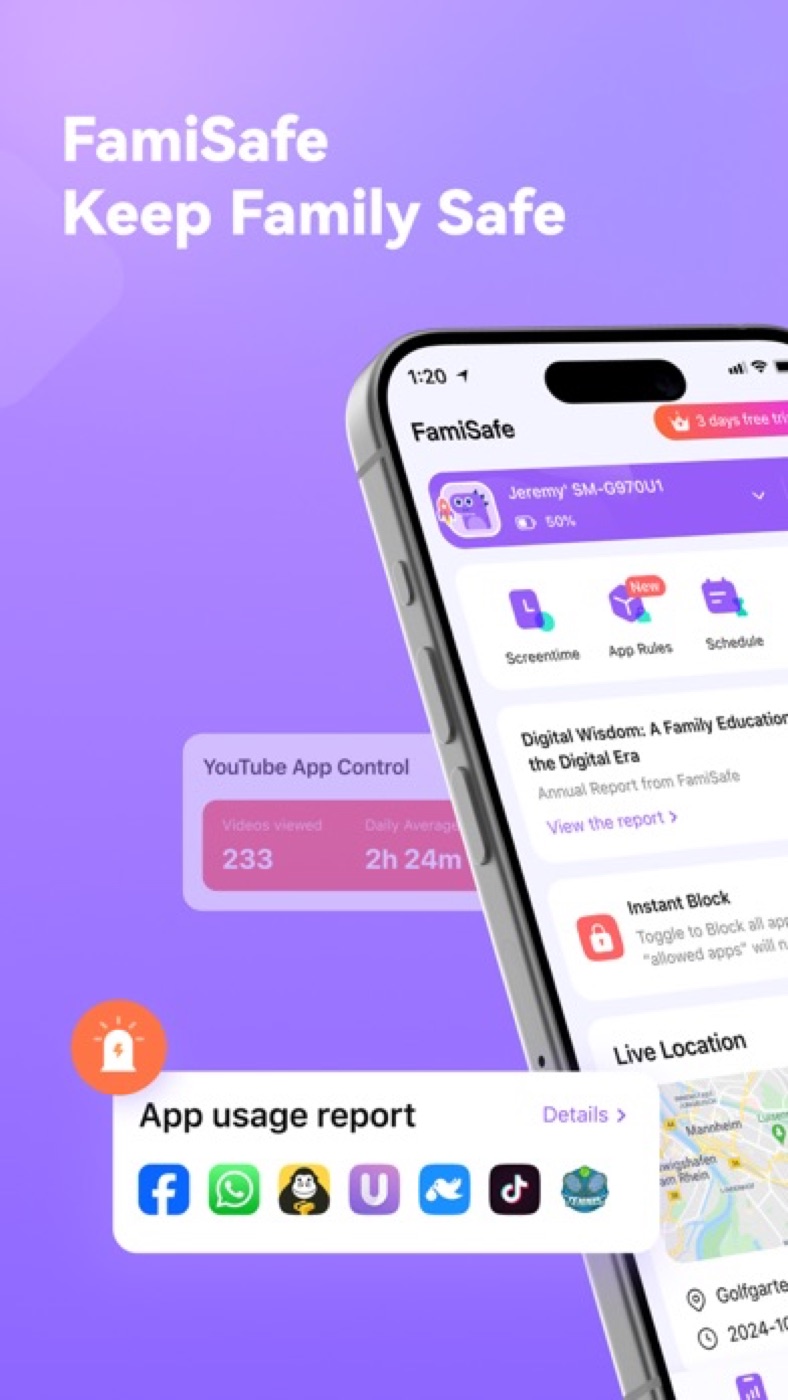
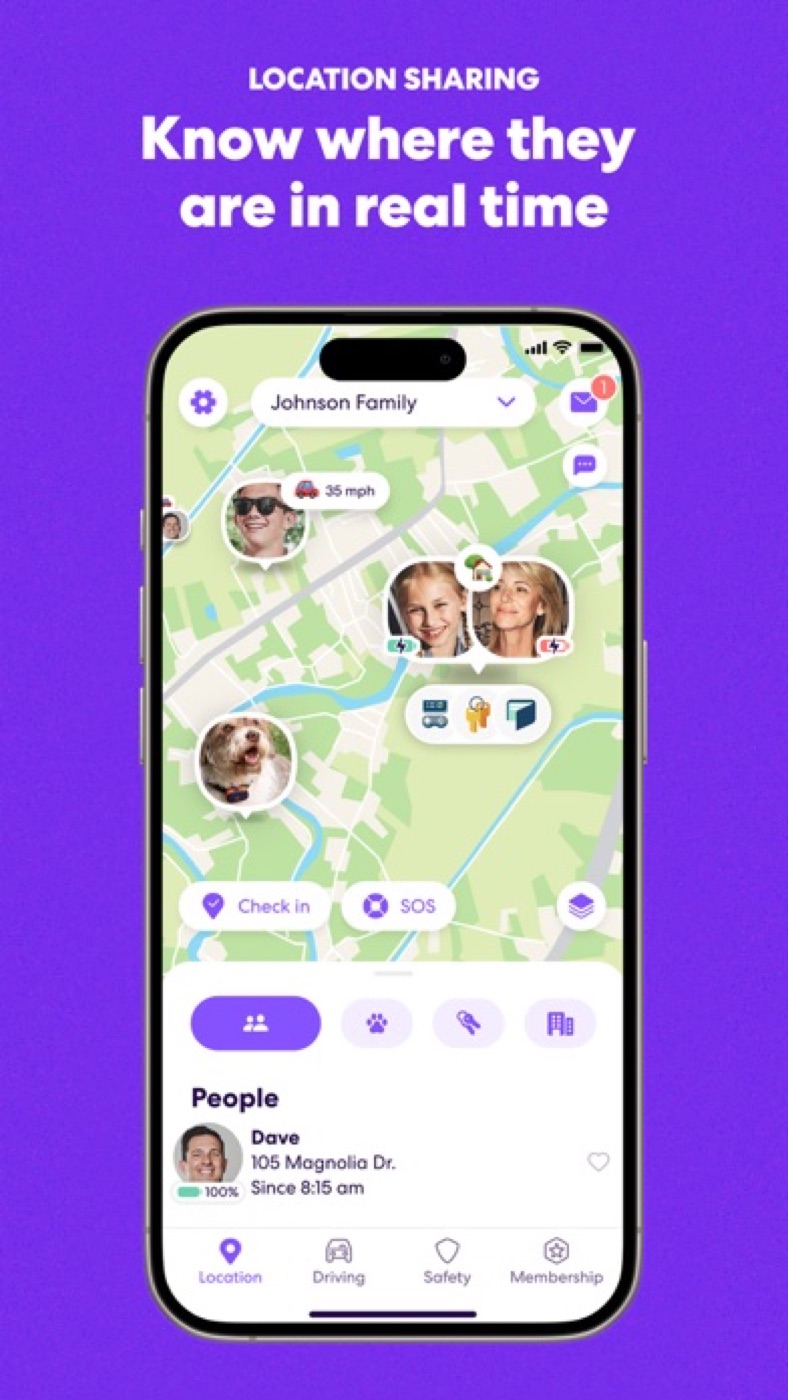
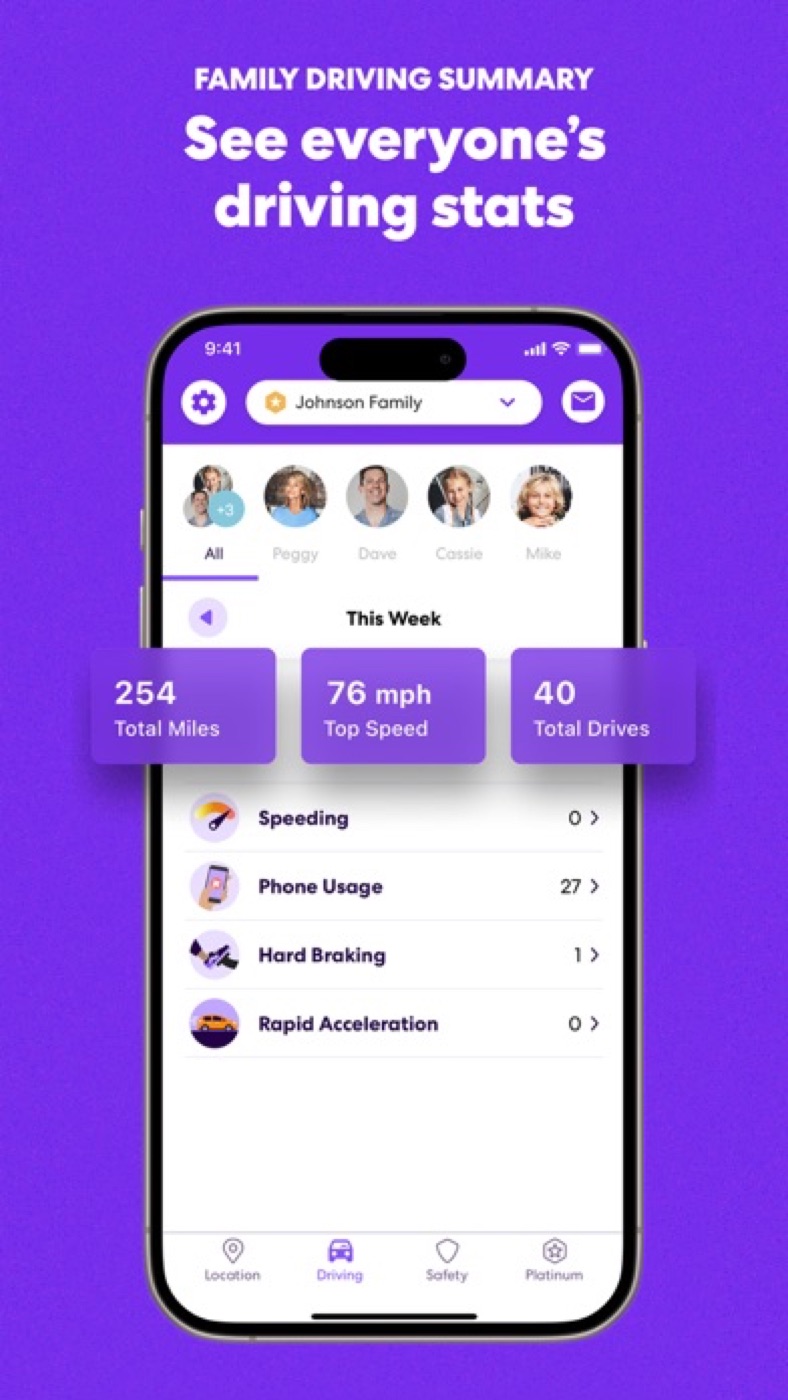
Our verdict
Buy FamiSafe on the $59.99 Yearly web plan if your children mostly use Android phones and you want one app for screen time, geofence alerts, teen driving reports and social app alerts across up to 10 devices. Skip it if your children use iPhones, because Wondershare's own FAQ says iOS blocks its WhatsApp, Instagram, Snapchat and Telegram monitoring and its ambient audio feature, and Apple Screen Time or Google Family Link already cover the basics for free. The deciding fact is the free tier: every control and location feature is locked on it, so FamiSafe is a paid product, and buying through the App Store costs more ($79.99 a year) than buying on Wondershare's site.
Overview
FamiSafe is a parental control app made by Shenzhen Wondershare Software Co., Ltd., the company behind Filmora and PDFelement. A parent installs the FamiSafe app on their own phone, installs the child app (called Fammy on Wondershare's setup pages and FamiSafe Kids on Google Play) on each child device, and pairs them with a code or QR code. Wondershare's FAQ says physical access to the child's device is needed for setup, and that it supports compatible Android, iOS, Kindle Fire, Windows, Mac and Chromebook devices but no game consoles, Xbox or Android TV.
The feature set is wide. Wondershare's pricing table lists four groups: content safety (WhatsApp monitor, social media content monitor, AI emotional insights, call and message monitor, sensitive image alerts, TikTok history and YouTube monitor), device service (usage time limit, disable schedule, screenshot monitor, instant block, app block, app time limit, live audio monitor and usage report), web safety (website filter, browsing history and safe browsing) and location (real-time location, geofencing alert, driving route track and location history report). The location page says history goes back up to 30 days, and the driving report page lists top speed, average speed, total distance and hard braking per trip, with weekly summaries going back three weeks.
The current line is version 9. The App Store listing shows version 9.1.9 released on November 5, 2026, after version 9.0.0 on January 6, 2026, and Google Play shows the Android app updated on November 6, 2026. Recent releases focus on AI social app detection: the App Store notes describe detection of coded language, a social risk trends overview and guidance attached to each alert. Wondershare's FAQ also states that Calls & Messages is temporarily unavailable on iOS 27, with no confirmed date for support.
Against the rivals on this site, FamiSafe sits between the free platform tools and the specialist monitors. Google Family Link and Apple Screen Time cost nothing and have system-level control; Wondershare's own FAQ concedes that FamiSafe's monitoring strength is lower than Family Link's because a third-party app has fewer permissions. Qustodio's Basic plan costs $59.95 a year for up to 5 devices, about the same as FamiSafe's Yearly plan for 10. Bark costs $99 a year and centers on scanning messages and social apps. FamiSafe's distinct additions are trip-level driving reports, live screenshots and ambient audio recording on Android.
The limits are documented by Wondershare itself. FamiSafe cannot block ads, VPNs, proxy websites or incognito browsing, cannot block system apps such as Camera or Phone on iOS, cannot pool one screen time limit across several devices, and sends no SMS or phone call alerts. On iOS, third-party social app monitoring and ambient audio are not available. Google Play's data safety section, as declared by the developer, says the collected data isn't encrypted, and store reviewers on both platforms report disconnections and slow support. The App Store rating is 4.1 from 4.4K ratings and Google Play shows 4.4 from 16.2K reviews.
How it scored
FamiSafe is a full parental control app, and its Location Service section covers real-time location, geofencing alerts, driving route tracking and a location history report. FamiSafe also lists SOS notifications and a daily timeline of location and phone activity covering 1, 7, 15 or 30 days. The rest of the app is monitoring: screen time limits, app blocking, website filters, call and message monitoring, social media alerts and even live audio and screenshots, which some families will find more than they want. Pricing on the US page is $59.99 billed yearly (shown as US$4.99 a month) for up to 10 devices with a 3-day free trial, $19.99 per quarter for up to 8 devices or $9.99 a month for up to 5 devices. A free tier covers 1 device. Wondershare says FamiSafe has 9 million customers. A user review on the page notes that location tracking needs the child's mobile data turned on.
Who it is for
Parents who want location, geofences and a teen's driving routes alongside detailed phone monitoring.
Good fit if
- Parents of a new teen driver on Android or iPhone who want per-trip reports with top speed, average speed, distance and hard braking
- Families with several children and devices who want up to 10 devices on one $59.99 yearly web plan
- Parents of Android users who want alerts on WhatsApp, Instagram, Snapchat, TikTok, Telegram and other supported social apps in the same app as screen time rules
- Households that mix Android phones with Windows, Mac or Chromebook computers and want one dashboard for all of them
- Parents who want geofence alerts for home and school plus 30 days of location history
Skip it if
- Families whose children only use iPhones or iPads: Apple Screen Time is free and has system-level control, and FamiSafe's social app monitoring and ambient audio do not work on iOS
- Parents who only want free basic limits on an Android phone or Chromebook: Google Family Link does this at no cost with deeper system control
- Parents who mainly want message and social app scanning across many platforms: Bark at $99 a year is built around that
- Families who only want to share locations between adults and kids: Life360 has a free app focused on location sharing
Specifications
| Developer | Shenzhen Wondershare Software Co., Ltd. | source |
|---|---|---|
| Child devices supported | Android, iOS, Kindle Fire, Windows, Mac and Chromebook; no game consoles, Xbox or Android TV | source |
| iOS requirement | iOS 15.0 or later (iPadOS 15.0 or later on iPad) | source |
| Current iOS version | 9.1.9, released November 5, 2026; 88.5 MB | source |
| Devices per plan (web store) | Free 1, Monthly 5, Quarterly 8, Yearly 10 | source |
| Location history | Up to the past 30 days | source |
| Driving report data | Top speed, average speed, total distance, hard braking; weekly summaries back three weeks | source |
| Screen Viewer intervals | Manual, or scheduled every 5, 10, 15, 20, 25 or 30 minutes | source |
| Social apps monitored on Android | YouTube, TikTok, WhatsApp, Instagram, Snapchat, Facebook, Google Chat, Messenger, SMS, Reddit, Twitter, Kik, Telegram | source |
| Interface languages | 9: English, French, German, Spanish, Portuguese, Japanese, Korean, Italian, Arabic | source |
| Keyword detection languages | 6: English, French, German, Spanish, Portuguese, Japanese | source |
| Free trial and refund | 3-day free trial on Yearly; 7-day money-back guarantee | source |
| App Store rating | 4.1 from 4.4K ratings | source |
| Google Play rating and installs | 4.4 from 16.2K reviews; 5M+ downloads | source |
| Ads | No ads, according to the Google Play description | source |
Price
Free tier for 1 device; Yearly $59.99 (US$4.99 a month), Quarterly $19.99, Monthly $9.99.
Yearly Plan US$4.99 /mo US$9.99 $59.99 billed annually
Quoted from the vendor pricing page on November 28, 2026.
Plans and pricing
| Plan | Price | What is included | Source |
|---|---|---|---|
| Free | $0free | 1 device; Demo data only for social media content monitor, sensitive image alerts, screenshot monitor and usage report; Screen time, app block, web filter and all location features locked | Checked Nov 18, 2026 |
| Monthly Plan (web store) | $9.99monthly, auto-renews | Up to 5 devices; All premium features: screen time, app rules, web filter, location, driving, social and message monitoring; 7-day money-back guarantee | Checked Nov 18, 2026 |
| Quarterly Plan (web store) | $19.99 (shown as US$6.66 a month)quarterly, auto-renews | Up to 8 devices; All premium features; 7-day money-back guarantee | Checked Nov 18, 2026 |
| Yearly Plan (web store) | $59.99 (shown as US$4.99 a month)annual | Up to 10 devices; All premium features; 3-day free trial; 7-day money-back guarantee | Checked Nov 18, 2026 |
| App Store in-app subscriptions | $9.99 a week, $19.99 a month, $29.99 for 3 months, $59.99 to $79.99 a yearweekly, monthly, quarterly or yearly through Apple | Premium features billed through the App Store; The listing shows several 1 Year items at $59.99 and $79.99 | Checked Nov 18, 2026 |
Key features
Screen time and app rules
Daily usage limits, downtime schedules, per-app time limits, app blocking and an instant block button. The child can see their limit and request extra time, and parents can grant bonus time. Wondershare's FAQ says limits run per device, with no shared limit across devices, and time in allowed apps still counts toward the total.
Location, geofences and SOS
Real-time location, up to 30 days of location history in a timeline, geofence alerts for places such as home or school, and an SOS button in the child app that sends the child's location to the parent. Location updates depend on device permissions and connectivity.
Driving reports
Per-trip driving history with top speed, average speed, total distance and hard braking, an over-speed threshold the parent sets, and weekly summaries that compare with the previous week and go back three weeks.
Social app detection
AI review of supported chats, posts and lyrics for risky context, custom keywords and teen slang, with a risk trends view and suggested next steps. On Android the FAQ lists 13 supported apps including WhatsApp, Instagram, Snapchat, TikTok and Telegram; on iOS third-party social app content is not accessible.
Screen Viewer and sensitive image alerts
Manual screenshots or scheduled ones every 5 to 30 minutes, scanned for inappropriate images, on phones, Windows and Mac. iOS needs Screen Broadcast permission. Results appear in the parent app only; the child device is not alerted.
Web filter and browsing history
Blocks sites in FamiSafe's own database across browsers, with allow and block exceptions, plus browsing history. It cannot detect incognito browsing or block proxy sites or VPNs, according to the FAQ.
One-Way Audio (Android only)
The parent can start an ambient audio recording on a connected Android device and review it later. Wondershare notes that the child can disable it and that local recording laws apply; iOS does not allow it.
Strengths and weaknesses
What we like
- The $59.99 Yearly web plan covers up to 10 devices, about $6 a device a year, compared with Qustodio Basic at $59.95 a year for 5 devices
- Driving reports record top speed, average speed, distance and hard braking for each trip, with weekly summaries back three weeks
- One account covers Android, iOS, Kindle Fire, Windows, Mac and Chromebook devices
- Location history goes back 30 days, with geofence alerts and an SOS button for the child
- Android social app monitoring covers 13 apps including WhatsApp, Snapchat, TikTok and Telegram
- Screen Viewer can take scheduled screenshots as often as every 5 minutes
- No ads in the app, according to its Google Play description, and a 7-day money-back guarantee on web purchases
What could be better
- The free tier covers 1 device but locks screen time, app blocking, web filtering and all location features, so it is effectively a demo
- The App Store in-app prices run higher than the web store: $79.99 a year and $19.99 a month against $59.99 and $9.99 on Wondershare's site
- On iOS, monitoring of WhatsApp, Instagram, Snapchat and Telegram and the ambient audio feature are not available, and Calls & Messages is temporarily unavailable on iOS 27
- Wondershare's FAQ says it cannot block VPNs, proxy sites or incognito browsing, and screen time limits cannot be pooled across devices
- The free trial is only 3 days, and first-time subscription discounts do not carry over to renewals
- Google Play's developer-declared data safety section says collected data isn't encrypted, and the App Store rating is 4.1 from 4.4K ratings
Key facts
- Yearly: $59.99, up to 10 devices
- Quarterly: $19.99, up to 8 devices
- Monthly: $9.99, up to 5 devices
- Free trial and refund: 3-day trial on yearly, 7-day money-back guarantee
- Location: Real-time location, geofencing, driving route track, history
Where it ranks
FamiSafe is No. 6 in our Best Family Locator Apps verdict and No. 8 in Best Parental Control Apps.
Alternatives to consider
- Google Family Link: Free screen time limits, app approvals, Chrome filters and location for Android and Chromebook, with system-level control that Wondershare says FamiSafe cannot match.
- Apple Screen Time: Free and built into iPhone, iPad and Mac, the better fit when the child uses Apple devices where FamiSafe's social and audio features do not work.
- Qustodio: Basic costs $59.95 a year for up to 5 devices and Complete $104.95 a year for unlimited devices, for parents who want a long-running cross-platform filter.
- Bark: Costs $14 a month or $99 a year for unlimited kids and devices and centers on scanning texts and social apps for signs of risk.
- Life360: A free family locator with paid memberships from $9.99 in the US App Store, for families who mainly want location sharing rather than phone monitoring.
Questions readers ask
Is FamiSafe worth it?
FamiSafe is worth it for Android families who want screen time, location, driving reports and social app alerts in one app, at $59.99 a year for up to 10 devices on Wondershare's web store. It is weaker value on iPhones, where its social app monitoring and ambient audio do not work and Apple Screen Time is free.
Does FamiSafe have a free plan?
Yes, but it is limited to 1 device and locks screen time limits, app blocking, web filtering and all location features, according to Wondershare's pricing table checked in November 2026. A few features, such as screenshots and usage reports, show demo data only. The Yearly plan has a 3-day free trial.
How much does FamiSafe cost?
On Wondershare's US web store, FamiSafe costs $9.99 a month for 5 devices, $19.99 a quarter for 8 devices or $59.99 a year for 10 devices. Through the App Store, the in-app subscriptions are listed at $19.99 a month, $29.99 for 3 months and $59.99 to $79.99 a year, plus a $9.99 weekly option.
Does FamiSafe work on iPhone?
Yes, the parent and child apps run on iOS 15.0 or later, with screen time, app limits, location, geofences and web filtering. Wondershare's FAQ says iOS blocks monitoring of WhatsApp, Instagram, Snapchat and Telegram content and the ambient audio feature, and iOS system apps such as Camera and Phone cannot be blocked.
FamiSafe vs Qustodio: which is better?
FamiSafe covers more devices for the money, 10 devices for $59.99 a year against Qustodio Basic at $59.95 a year for 5 devices, and adds per-trip driving reports. Qustodio's Complete plan at $104.95 a year removes the device cap. Parents who mostly need filtering and time limits on mixed devices may prefer Qustodio, while parents of teen drivers on Android get more from FamiSafe.
Can my child tell FamiSafe is installed?
Yes, on iOS the device shows a "This device is monitored" notice because FamiSafe uses Screen Time and device management permissions, according to Wondershare's FAQ. On Android the child app has uninstall protection that requires the parent's FamiSafe password, and the child can switch off One-Way Audio on their device.
How accurate and recent is FamiSafe's location tracking?
FamiSafe shows the current or most recently available location and up to 30 days of history, and Wondershare says updates depend on permissions, connectivity and device status. One parent review on Wondershare's pricing page notes that the child's mobile data must stay on for phone tracking to work.
Can I get a refund from FamiSafe?
Yes, Wondershare offers a 7-day money-back guarantee on web store purchases, requested through its Support Center. Purchases made through Google Play or the App Store are refunded through those stores, and all plans auto-renew until cancelled.
Sources we checked
- FamiSafe Pricing Plan for Family, checked November 18, 2026
- Wondershare FamiSafe home page, checked November 18, 2026
- FamiSafe Frequently Asked Questions, checked November 18, 2026
- FamiSafe Kids Location Tracker with Real-Time GPS and Geofencing, checked November 18, 2026
- FamiSafe Driving History Report, checked November 18, 2026
- FamiSafe One-Way Audio, checked November 18, 2026
- FamiSafe Screen Time, checked November 18, 2026
- FamiSafe: Parental Control App on the App Store, checked November 18, 2026
- Parental Control App- FamiSafe on Google Play, checked November 18, 2026
- Qustodio Premium plans, checked November 16, 2026
- Bark pricing, checked November 16, 2026
- Life360 on the App Store, checked November 9, 2026
Deep review last updated November 18, 2026. We recheck prices and specs against these pages; send corrections to the address below.
Alternatives we scored
Cite this page
HearSmart. FamiSafe review. Updated November 28, 2026. https://hearsmart.org/review/famisafe
Visit famisafe.wondershare.com · Questions or corrections: editorial@hearsmart.org