Review · Software & apps
 RoboForm review
A long-running password manager and form filler with a single-device free plan and low-cost Premium.
By the HearSmart research desk · Updated November 23, 2026
The short answer
RoboForm is a password manager and form filler from Siber Systems with a free plan for unlimited passwords on a single device, Premium at $2.49 a month billed annually ($29.88 a year) and a Family plan for 5 Premium accounts at $47.75 a year, according to RoboForm's pricing page checked in November 2026. It is one of the cheaper paid password managers on this site and has the strongest form filling, but the free plan does not sync. It suits people who fill long web forms and want all-device access for under $30 a year.
- Performance (40%)
- 7.6
- Ease of use (25%)
- 7.6
- Value (35%)
- 8.6
What it looks like
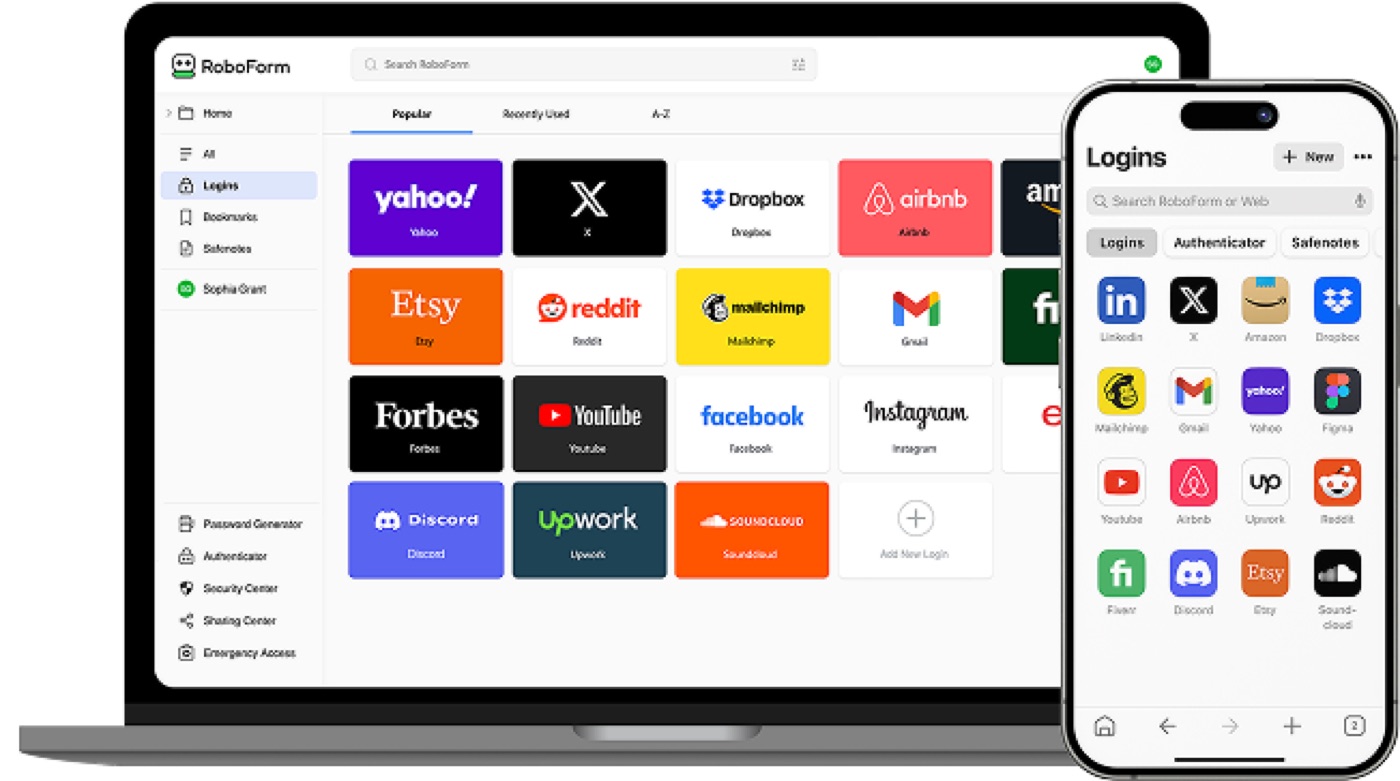
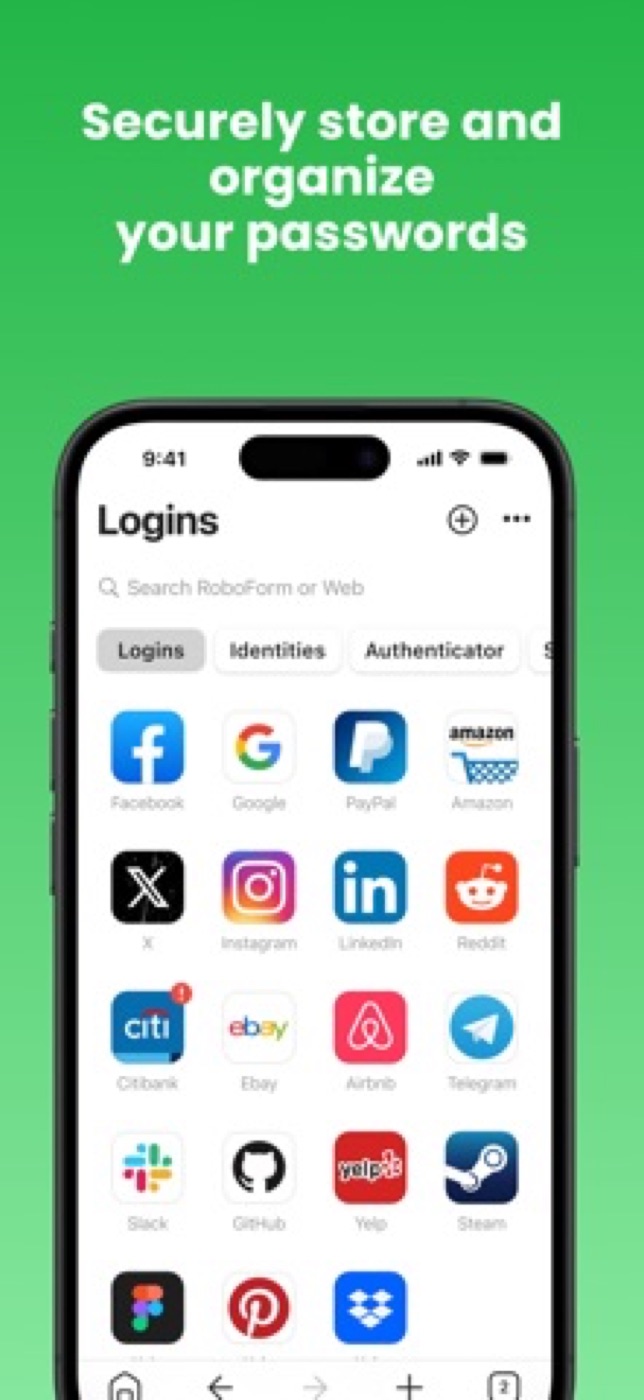
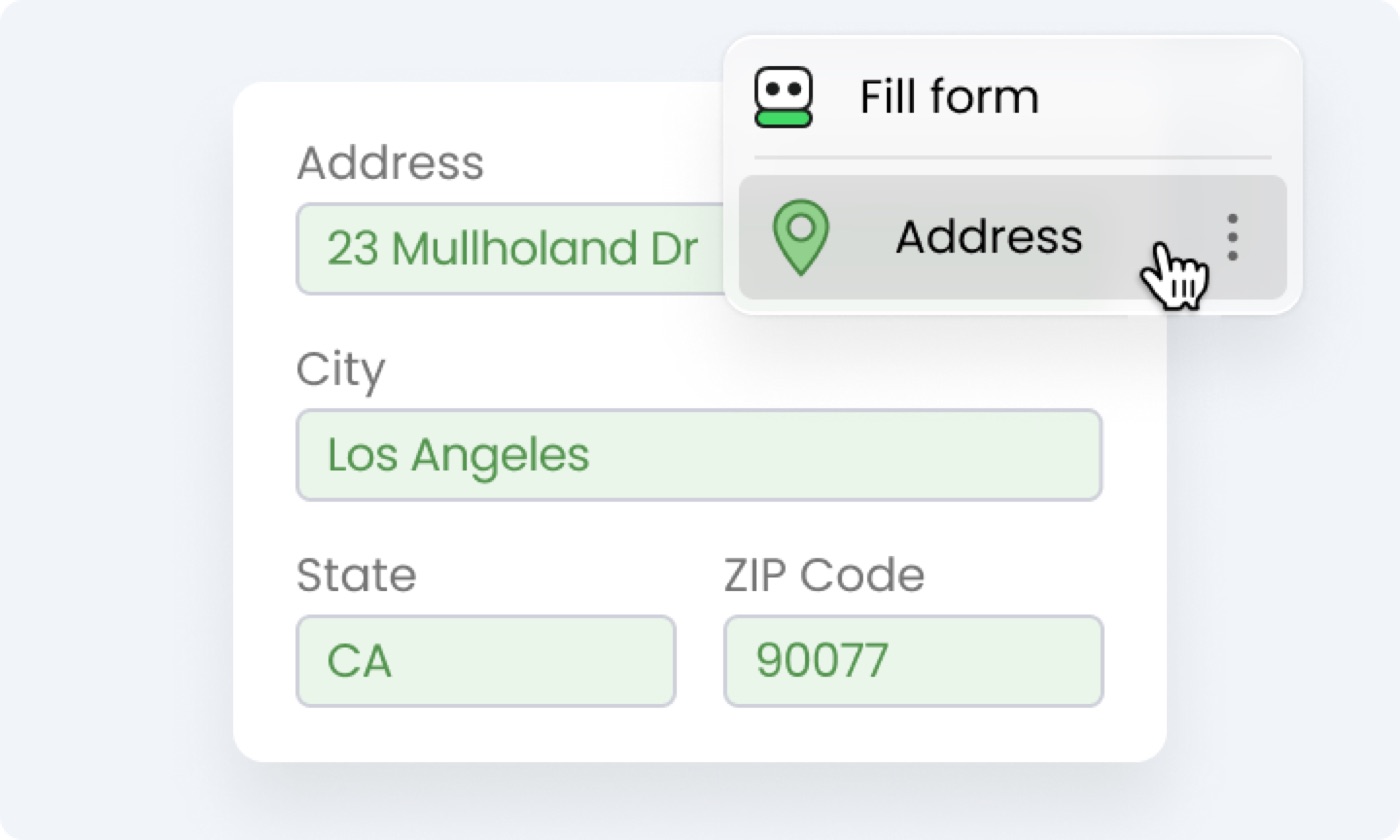
Our verdict
Buy RoboForm Premium if you want a low-cost password manager that also fills long checkout, shipping and registration forms from saved identities, and if you want 24/7 email support plus weekday live chat and phone support for $29.88 a year. Pick the Family plan at $47.75 a year if up to 5 people need separate Premium vaults. Skip it if you want a free plan that syncs between phone and computer, where Bitwarden is the better fit, or if every device you own is Apple, where the free Apple Passwords app covers the basics. The deciding fact: RoboForm's free plan works on one device only, so the real cost of using it on a phone and a laptop is $29.88 a year.
Overview
RoboForm is a password manager made by Siber Systems, Inc., a company based in Fairfax, Virginia, whose site footer dates its copyright to 1999. It saves and fills logins, stores identities, credit cards, bank accounts and Safenotes for license keys or Wi-Fi passwords, and fills long web forms with one click. It runs as apps for Windows, macOS, iPhone, iPad and Android, and as browser extensions for Chrome, Edge, Firefox, Opera and Brave, with Safari support installed by the Mac app. Linux and ChromeOS users get the Chrome and Firefox extensions. The Windows app can also log in to Windows desktop applications, which most rivals do not offer.
The personal line-up has three tiers. Free costs $0 and stores unlimited passwords on a single device, with one-click login, form filling, a password generator, cloud backup, a compromised password scan, a built-in TOTP authenticator, passwordless vault access and advanced two-factor login options. Premium, listed at $2.49 a month billed annually and renewing at $29.88 a year, adds access on all devices, web access, secure shared folders, emergency access, data breach monitoring for 5 email addresses, a local only mode and priority 24/7 support. Family, $3.98 a month billed annually and renewing at $47.75 a year, gives 5 separate Premium accounts under one bill. Both paid plans carry a 30-day money-back guarantee. On the US App Store the same plans are in-app purchases at $29.99 and $47.99 a year.
The recent changes are on the login side. RoboForm's home page labels advanced two-factor authentication, with passkeys, trusted devices and hardware security keys alongside email, SMS and authenticator apps, as a new feature, and does the same for passwordless vault access, which opens the vault with a passkey checked by face, fingerprint or device PIN. Version 10 is the current release across platforms, with Windows at v10.0.4 and the browser extensions, Mac and Android apps at v10.0.2 on RoboForm's download page. RoboForm's security page links a 2025 penetration test summary from Secfault Security and describes a bug bounty program.
Against the other password managers on this site, RoboForm sits in the low-price middle. Bitwarden Premium costs $19.80 a year and its free plan syncs across unlimited devices, so it beats RoboForm on both price and free use. NordPass lists 12-month plans from $31.99 a year on the US App Store and LastPass Premium is $35.99 there, both above RoboForm's $29.99 App Store price, while Dashlane Premium is $64.99 a year. 1Password has no free plan and charges $3.99 a month at its regular rate. RoboForm's lead is form filling: saved identities fill multi-page checkout and sign-up forms that browser autofill often handles only partly.
The limits are clear. The free plan is locked to one device, so anyone who wants the same vault on a phone and a computer has to pay. Sharing, emergency access, web access and breach monitoring are paid only. Breach monitoring covers up to 5 email addresses. RoboForm describes its encryption as AES-256 with PBKDF2 SHA256, but its public pages do not state an iteration count or offer Argon2, where Bitwarden documents both. The iOS app requires iOS 17 or later, so older iPhones that cannot update are left out.
How it scored
RoboForm has been around for a long time and still stands out for form filling. Besides saving and filling passwords, it stores identities, credit cards and bank details and fills long checkout and sign-up forms in one tap. Its Security Center finds weak, reused or duplicate passwords, and its plan list includes an integrated TOTP authenticator, passwordless vault access, data breach monitoring for 5 email addresses and a local only mode that keeps your data and backups on your device. The free plan stores unlimited passwords but only on a single device, so syncing between phone and computer needs Premium, as do sharing and emergency access. Premium is cheap: the US App Store lists it at $29.99 a year, and the Family plan for up to 5 Premium accounts at $47.99. RoboForm's website showed us euro prices, so we used the App Store figures.
Who it is for
People who fill in long web forms and want cheap Premium
Good fit if
- People who fill in long shipping, billing and registration forms often and want them filled from saved identities with one click
- Individuals who want a paid password manager with sync on every device for $29.88 a year
- Families of up to 5 people who want separate Premium vaults and shared folders for $47.75 a year
- Windows users who want saved logins for desktop applications as well as websites
- People who want 24/7 email support plus weekday live chat and phone support from the vendor
Skip it if
- Anyone who wants a free plan that syncs between phone and computer: Bitwarden's free plan has no device limit
- People who only use Apple devices and want something free: Apple Passwords is built into iOS, iPadOS and macOS
- Families larger than 5: Bitwarden Families covers 6 people for $47.88 a year
- Owners of iPhones that cannot run iOS 17: the current RoboForm iOS app requires iOS 17.0 or later
Specifications
| Free plan | Unlimited passwords on a single device | source |
|---|---|---|
| Premium price | $2.49 a month billed annually, renews at $29.88 a year | source |
| Family price | $3.98 a month billed annually, renews at $47.75 a year for 5 Premium accounts | source |
| US App Store in-app prices | Premium $29.99 a year, Family $47.99 a year | source |
| Encryption | AES-256 with PBKDF2 SHA256, zero-knowledge, decryption on the device | source |
| Two-factor login options | Email, SMS, authenticator app, passkey, trusted device, hardware security key | source |
| Built-in TOTP authenticator | Yes, on Free, Premium and Family | source |
| Data breach monitoring | Up to 5 email addresses, Premium and Family | source |
| Desktop apps | Windows 10 and 11 (v10.0.4), macOS 12 and up (v10.0.2) | source |
| Mobile apps | iOS 17.0 or later, Android 9 and higher | source |
| Browser extensions | Chrome, Edge, Firefox, Opera, Brave; Safari via the Mac installer | source |
| Local only mode | Data and backups stored on the device only, Premium and Family | source |
| Refund window | 30-day money-back guarantee on paid plans | source |
| Support | 24/7 email; paid plans add weekday live chat and phone support | source |
| Third-party audit | Secfault Security penetration test summary, 2025 | source |
| App Store rating | 4.7 from 49K ratings | source |
Price
Free on a single device; Premium $29.99 a year as an in-app purchase on the US App Store (about $2.50 per month); Family $47.99 a year.
Premium (1 year) $29.99
Quoted from the vendor pricing page on November 16, 2026.
Plans and pricing
| Plan | Price | What is included | Source |
|---|---|---|---|
| Free | $0free, no time limit | Unlimited passwords on a single device; One-click login and form filling; Password generator; Secure cloud backup; Compromised password scan; Built-in TOTP authenticator; Passwordless vault access; Advanced 2FA; 24/7 email support | Checked Nov 23, 2026 |
| Premium | $2.49 a month ($29.88 a year)billed annually | Everything in Free; Access on all devices; Web access; Secure shared folders; Emergency access; Data breach monitoring for 5 emails; Local only mode; 24/7 priority email support, weekday live chat and phone support; 30-day money-back guarantee | Checked Nov 23, 2026 |
| Family | $3.98 a month ($47.75 a year)billed annually | Up to 5 separate Premium accounts; Unified billing; Shared folders between members; Everything in Premium for each member; 30-day money-back guarantee | Checked Nov 23, 2026 |
| Premium (App Store) | $29.99 a yearone-year renewable in-app subscription | Same Premium features bought through the iOS app | Checked Nov 23, 2026 |
| Family (App Store) | $47.99 a yearone-year renewable in-app subscription | Up to 5 Premium accounts under a single subscription | Checked Nov 23, 2026 |
| Business | $3.33 per user a month ($39.95 per user a year)billed annually, free trial available | Separate personal and work vaults; Admin center; SSO integration and SCIM provisioning; Custom security policies and role-based access; Activity logs and audit reports; Family plan for personal use with 10 or more paid licenses | Checked Nov 23, 2026 |
| Enterprise | price not listed (custom, volume-based)custom | Everything in Business; Dedicated onboarding and support engineers; Custom SLA; Self-hosting for 1,000 or more users | Checked Nov 23, 2026 |
Key features
Form filling from saved identities
RoboForm stores addresses, payment cards and bank accounts as identities and fills checkout and sign-up forms with one click or tap. Its form filler page says it can save and fill complicated or custom forms and fill on behalf of a family member or client. Form filling is included on the free plan.
Built-in TOTP authenticator on every plan
RoboForm generates two-factor codes inside the vault on the Free, Premium and Family plans. Bitwarden and Proton Pass keep their authenticators on paid plans, so RoboForm's free single-device plan is one of the few free options with this built in.
Passwordless vault access and advanced 2FA
The vault can be unlocked with a passkey stored on the device or another device, verified by face, fingerprint or PIN. The account itself can be protected with passkeys, trusted devices or hardware security keys, in addition to email, SMS and authenticator app codes.
Security Center and breach monitoring
Security Center flags weak, reused and compromised passwords on every plan. Premium and Family add data breach monitoring that scans up to 5 email addresses and sends alerts when one appears in a breach.
Windows application logins
The Windows app, v10.0.4 on RoboForm's download page, saves and fills logins for desktop programs as well as websites, supports Windows Hello and keeps the vault available offline.
Local only mode
Premium and Family users can keep their data and backups on the device only, without syncing to RoboForm's servers, for people who prefer not to store a vault in the cloud.
Sharing and emergency access
Paid plans can share single items or whole folders with set access levels, and can name trusted contacts who can get into the vault after death, incapacity or as a recovery route. Family members each keep a separate account and see only what is shared with them.
Strengths and weaknesses
What we like
- Premium costs $29.88 a year on RoboForm's site, below NordPass ($31.99), LastPass ($35.99) and Dashlane ($64.99) at their US App Store prices
- The Family plan gives 5 separate Premium accounts for $47.75 a year, about $9.55 per person
- The free plan includes unlimited passwords, form filling and a built-in TOTP authenticator
- Form filling handles long checkout, shipping and registration forms from saved identities
- Account login can be locked with passkeys or hardware security keys, and the vault opens with a passkey
- Paid plans include 24/7 priority email support plus weekday live chat and phone support
- A 30-day money-back guarantee applies to Premium and Family
- The iOS app holds a 4.7 rating from 49K ratings on the US App Store
What could be better
- The free plan works on a single device only, so a phone plus a computer costs $29.88 a year
- Sharing, emergency access, web access and breach monitoring all require a paid plan
- Breach monitoring is capped at 5 email addresses
- Bitwarden Premium is $10.08 a year cheaper and its free plan syncs across unlimited devices
- The current iOS app requires iOS 17.0 or later
- Public security pages give the encryption method but not a PBKDF2 iteration count
Key facts
- Free plan: Yes, unlimited passwords on a single device
- Family plan: Up to 5 Premium accounts, $47.99 a year on the US App Store
- US App Store price: $29.99 a year
- Breach monitoring: Up to 5 emails
- Support: 24/7 email tickets, live chat 6 AM to 8 PM ET weekdays
Where it ranks
RoboForm is No. 9 in our Best Password Managers verdict.
Alternatives to consider
- Bitwarden: Free plan syncs across unlimited devices, and Premium is $19.80 a year, $10.08 less than RoboForm Premium.
- 1Password: More polished apps and travel features for people willing to pay $3.99 a month at the regular rate, with no free plan.
- NordPass: Similar price, listed from $31.99 a year on the US App Store, with a free plan and a different app design.
- Proton Pass: Free plan syncs across devices and adds email aliases, for privacy-minded users.
- Apple Passwords: Free and built into iPhone, iPad and Mac for households that use only Apple devices.
Questions readers ask
Is RoboForm worth it?
RoboForm Premium costs $29.88 a year on RoboForm's site and adds sync on all devices, sharing, emergency access and breach monitoring for 5 emails. It is good value for people who fill a lot of web forms, but Bitwarden Premium costs $19.80 a year and its free plan already syncs.
Does RoboForm have a free plan?
Yes, RoboForm Free costs $0 and stores unlimited passwords on a single device. It includes form filling, a password generator, cloud backup and a built-in TOTP authenticator, but syncing to a second device requires Premium.
How much does RoboForm cost?
RoboForm Premium is $2.49 a month billed annually and renews at $29.88 a year, and Family is $3.98 a month billed annually and renews at $47.75 a year for 5 accounts, according to RoboForm's pricing page in November 2026. On the US App Store the same plans are $29.99 and $47.99 a year.
Is RoboForm safe?
RoboForm says it encrypts data with AES-256 and PBKDF2 SHA256 on the device under a zero-knowledge design, so the master password is never sent to its servers. Its security page links a 2025 penetration test summary from Secfault Security and describes a bug bounty program.
RoboForm vs Bitwarden: which is better?
Bitwarden is cheaper and more generous for free use: its free plan syncs across unlimited devices and Premium is $19.80 a year, against RoboForm's single-device free plan and $29.88 Premium. RoboForm is the better pick for heavy form filling, Windows app logins and live chat or phone support.
Does RoboForm work on iPhone and Android?
Yes, RoboForm has apps for iPhone and iPad, which require iOS 17.0 or later, and for Android 9 and higher. It also runs on Windows, macOS, and as extensions for Chrome, Edge, Firefox, Opera and Brave.
How many people does the RoboForm Family plan cover?
The Family plan covers up to 5 people, each with a separate Premium account, for $47.75 a year. Members do not see each other's passwords unless they share an item or a folder.
Can RoboForm fill forms besides passwords?
Yes, RoboForm stores addresses, credit cards and bank accounts as identities and fills checkout and registration forms with one click, on every plan including Free.
Sources we checked
- RoboForm home page, checked November 23, 2026
- RoboForm Personal Plans and Pricing, checked November 23, 2026
- RoboForm Business Plans and Pricing, checked November 23, 2026
- RoboForm Family Password Manager, checked November 23, 2026
- RoboForm Form Filler, checked November 23, 2026
- RoboForm Security, checked November 23, 2026
- Secfault Security penetration test summary 2025, checked November 23, 2026
- Download RoboForm, checked November 23, 2026
- RoboForm Password Manager on the US App Store, checked November 23, 2026
Deep review last updated November 23, 2026. We recheck prices and specs against these pages; send corrections to the address below.
Alternatives we scored
- 1Password8.9
- Bitwarden8.9
- Proton Pass8.8
- Apple Passwords8.2
Cite this page
HearSmart. RoboForm review. Updated November 23, 2026. https://hearsmart.org/review/roboform
Visit roboform.com · Questions or corrections: editorial@hearsmart.org